"Battery works" is not a diagnostic metric. It is a financial gamble. In enterprise IT Asset Disposition (ITAD), secondary market remarketing, and fleet leasing returns, a laptop that merely boots on battery power can still suffer from severe cell degradation, dangerous internal resistance, or catastrophic voltage sag under load.
1. Surface-Level Percentages vs. Real Chemical Health
Operating system battery icons only report State of Charge (SoC)—a relative percentage calculated by the battery management system (BMS). A pack showing 100% charge may hold only 30% of its factory design capacity (mWh) or shut down instantly when the CPU enters high turbo boost states.
⚡ Critical Battery Health Telemetry:
- Design Capacity vs. Full Charge Capacity (mWh): True physical wear level. If a 56,000 mWh battery now maxes out at 28,000 mWh, it has suffered a 50% capacity loss regardless of whether Windows displays "100%".
- Cycle Count Thresholds: Lithium-ion pouch cells undergo physical anode/cathode degradation. Packs exceeding 500–800 cycles experience rapid impedance buildup.
- Voltage Sag under Heavy Load: High internal resistance causes voltage across cells to plummet during peak current draw. If voltage drops below the BMS critical cutoff, the laptop shuts down without a graceful ACPI sleep warning.
2. Native OS CLI Telemetry Extraction
Before running hardware stress sweeps, extract the raw ACPI smart battery controller log files using native command-line utilities:
Windows PowerShell (Complete HTML Battery Audit)
powercfg /batteryreport /output "$env:USERPROFILE\Desktop\battery_report.html"
powercfg /energy /duration 60 /output "$env:USERPROFILE\Desktop\energy_report.html"
Linux CLI (Kernel UPower & Sysfs Energy Data)
upower -i $(upower -e | grep 'BAT')
cat /sys/class/power_supply/BAT*/uevent | grep -E "CAPACITY|ENERGY_FULL|VOLTAGE"
macOS Terminal (I/O Kit Smart Battery Telemetry)
system_profiler SPPowerDataType | grep -A 8 "Health Information"
ioreg -rn AppleSmartBattery | grep -E "CycleCount|MaxCapacity|DesignCapacity|Temperature"
3. ITAD Battery Classification & Grading Standards
Standardize your refurbishment intake with an objective grading tier that prevents warranty claims and ensures compliance:
| Grade | Capacity (vs. Design) | Max Cycles | Behavior Under Load |
|---|---|---|---|
| Grade A (Certified) | ≥ 80% Full Capacity | ≤ 500 cycles | Stable voltage curve; no throttling during full CPU/GPU boost. |
| Grade B (Fair Functional) | 60% – 79% Capacity | 501 – 850 cycles | Minor voltage sag; acceptable for light office workflows. |
| Grade C / Decommission | < 60% Capacity | > 850 cycles or Error | Immediate Replacement: Risk of cell swelling and sudden shutdowns. |
A pack may show 90% health while stationary on AC, but when subjected to a 100% CPU benchmark, its voltage will drop precipitously (voltage sag). If the voltage curve drops by more than 1.2V within 10 seconds of load inception, internal impedance is degraded—this machine will turn off unexpectedly in real-world use.
4. Zero-Footprint Telemetry in SpecInfo v20
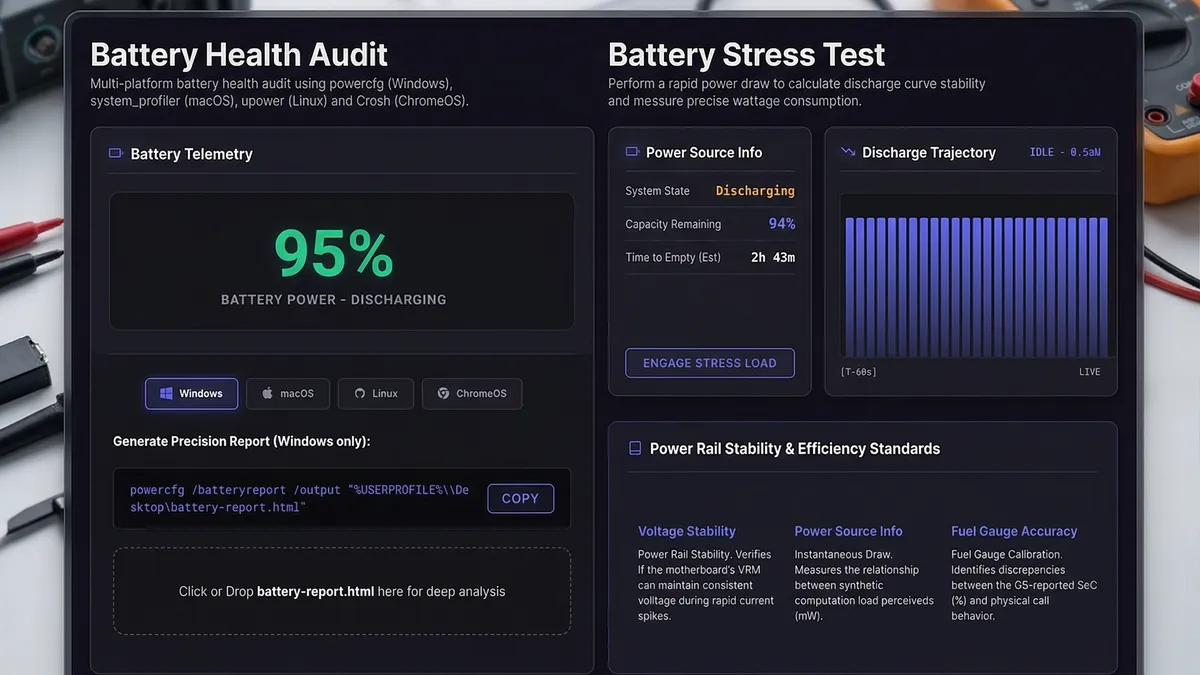
Installing third-party battery utilities on customer machines risks software footprint contamination and image corruption. SpecInfo v20 offers zero-installation diagnostic modules directly in the browser:
- Battery Health Analyzer ↗: Real-time charging rate, time-to-empty calculations, and battery level telemetry via Web APIs.
- Power Stress Test ↗: Simultaneous multi-threaded workload to audit voltage stability and thermal dissipation curves under sustained discharge.