Low-Power 24/7 Homelab & Proxmox Server Under 15W: Intel N100 / N150 / i3-N305, ASMedia ASM1166 & Deep C-States (C8/C10) Guide
With UK and European electricity prices hovering around 25p–32p/kWh, a retired 130W enterprise rack server costs £285 to £360 per year just to sit idle at 3% CPU utilization. Yet thousands of engineers who build an "ultra-efficient 6W TDP Intel N100 or i3-N305 server" plug it into a smart wattmeter and are shocked to see 32 Watts continuously drawn from the wall. Here is the complete silicon-level guide to unlocking ACPI Package C8 & C10 states, eliminating PCIe ASPM L1 blockers, selecting the right ASMedia ASM1166 SATA controller and PicoPSU / low-load ATX supply, and running 25+ Proxmox VE / Docker workloads at 7.5W to 13.5W 24/7.
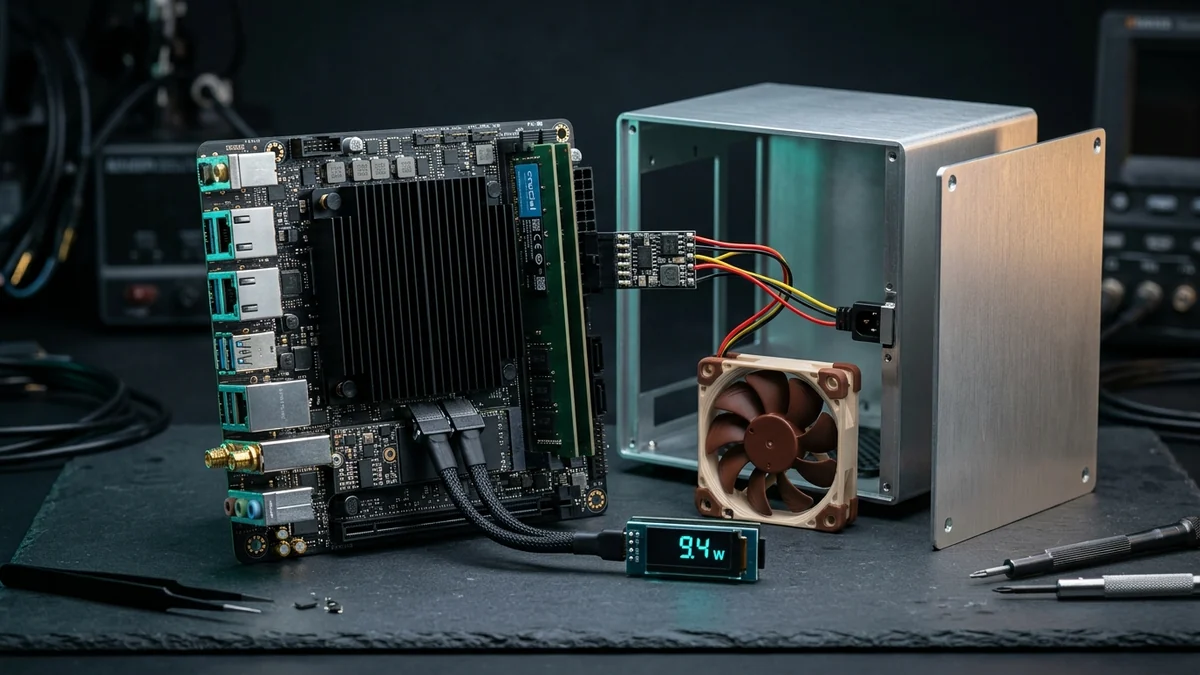
Why Your "6W TDP" Server Draws 32W at the Wall: The Package C-State Ladder
Intel's 6W TDP (on the N100/N150) or 15W TDP (on the 8-core Core i3-N305) only describes the thermal heat dissipation of the CPU cores under base frequency. What actually determines your 24/7 electricity bill is ACPI Package C-State Residency—how deeply the entire System-on-Chip (SoC) uncore, memory controller, and PCIe Root Complex can power down during the 94% of the day your homelab is waiting between network packets:
22 W – 34 W at Wall
CPU cores pause, but PCIe Root Complex, Ring Bus, and SoC rails stay locked at 100% voltage because a single PCIe device (like a JMB585 SATA card or old 10G NIC) refuses ASPM L1 sleep.
14 W – 18 W at Wall
Last-Level Cache (LLC) flushes and core voltage drops, but PCIe L1.1/L1.2 substates or SATA Aggressive Link Power Management (ALPM) are not fully negotiated across all ports.
6.8 W – 11.5 W at Wall
All PCIe lanes enter ASPM L1.2, NVMe enters APST PS4 (<30 mW), SATA PHYs enter Slumber/DevSleep, and the SoC turns off main PLL clocks—saving £180–£260/year.
⚡ Interactive ASPM / C-State Blocker Auditor & 3-Year ROI Simulator
Select your motherboard, SATA expander, NIC, PSU topology, and hard drive spindown schedule to diagnose C-State blockers, calculate 24/7 wall wattage, and generate a custom Linux tuning script:
🏆 2026 Sub-15W Homelab & NAS Hardware Hierarchy (C8/C10 Verified)
Every motherboard, SATA expander, PSU, and chassis below is verified for deep ACPI Package C-States and low idle wall draw:
| Hardware Component | Silicon & Key Architecture | C-State & Idle Impact | Best Homelab Role | Amazon UK |
|---|---|---|---|---|
| #1 CWWK / TopTon N100 / N150 6-Bay Mini-ITX NAS Board 4× Intel i226-V 2.5GbE • 6× SATA (Native + ASM1166) • 2× M.2 NVMe |
Intel N100 / N150 (4E-Cores) • 1× DDR5 SO-DIMM (up to 48GB) | Pkg C8/C10 • ~7.8W–9.5W Idle | Ultimate DIY 6-Bay TrueNAS & Proxmox ITX Node | Check ↗ |
| #2 CWWK / TopTon Core i3-N305 8-Core Mini-ITX NAS Board 8 Cores / 8 Threads • 4× 2.5GbE i226-V • 6× SATA + Dual NVMe |
Intel Core i3-N305 (15W TDP, 3.8 GHz) • DDR5-4800 SO-DIMM | Pkg C8/C10 • ~9.4W–11.5W Idle | Heavy Proxmox VE (30+ LXCs, ZFS + Jellyfin QSV) | Check ↗ |
| #3 ASUS Prime N100I-D D4 (Fanless Mini-ITX) 0 dBA Passive Heatsink • Rock-Solid ASUS UEFI ASPM Support |
Intel N100 • DDR4 SO-DIMM • PCIe 3.0 Slot + M.2 NVMe | Pkg C10 Native • ~6.8W Idle! | Ultra-Reliable Silent Proxmox / OPNsense / PBS Node | Check ↗ |
| #4 Intel Core i3-14100 + B760M DDR5 Micro-ATX Combo 4 P-Cores / 8 Threads • Full PCIe 4.0 Lanes + 4× Native Chipset SATA |
Socket LGA1700 • Up to 128GB/192GB Dual-Channel DDR5 | Pkg C8/C10 • ~10.5W–13W Idle | Expandable 4–8 Bay Server with Desktop Single-Core Speed | Check ↗ |
| #5 ASMedia ASM1166 6-Port SATA Adapter (M.2 NVMe / PCIe) SilverStone ECS06 / Verified ASM1166 • Full ASPM L1 + DIPM |
PCIe 3.0 x2 (16 Gbps) ➔ 6× SATA 6Gb/s • Aluminum Heatsink | 100% C8/C10 Compatible (~1.4W) | Mandatory Replacement for C-State-Blocking JMB585 | Check ↗ |
| #6 PicoPSU-160-XT 24-Pin DC-DC + 12V 120W/150W Level VI Brick Zero-Fan Direct ATX Plug • Eliminates 10W ATX Standby Losses |
160W Cont. / 200W Peak • 12V DC Input • 0 dBA Passive | 93%+ Efficiency @ 8W–15W | All-Flash or 2–4 Bay N100/N305 Builds Under 10W | Check ↗ |
| #7 Be Quiet! Pure Power 12 M 550W / Corsair RM550x ATX PSU Top Low-Load ATX Efficiency • LLC Resonant + DC-to-DC Topology |
ATX 3.0 / 3.1 • 80 Plus Gold • Silent 120mm/135mm Fan | 83%–85% Efficiency @ 12W Load | 4–8 Bay 3.5" CMR NAS Chassis Needing High 12V Spin-Up Current | Check ↗ |
| #8 Jonsbo N2 / N3 / N4 Mini-ITX Hot-Swap NAS Enclosure 5-Bay (N2) or 8-Bay (N3) Integrated SAS/SATA Backplane |
Brushed Anodized Aluminum • Dual Molex/SATA Power Backplane | Compact Cube Footprint | Premium Living-Room or Rack-Shelf DIY TrueNAS Build | Check ↗ |
| #9 Crucial 32GB / 48GB DDR5-4800/5600 SO-DIMM (Single Stick) 1.1V Low-Voltage DDR5 • Unlocks 32–48GB on N100/N150/N305! |
CT32G48C40S5 / CT48G56C46S5 • On-Die ECC (ODECC) | ~0.4W Self-Refresh in C10 | ZFS ARC Cache & 25+ Proxmox Containers on Single-Slot Boards | Check ↗ |
| #10 Noctua NF-A12x25 / NF-A9 / NF-A4x20 4-Pin PWM Fans SSO2 Bearing • Includes Low-Noise Adaptor (L.N.A.) |
0.6W – 1.5W Max Draw • Whisper-Quiet High Static Pressure | ~0.25W @ 35% PWM Duty | Cooling Passive N100/N305 Heatsinks & Jonsbo Drive Bays | Check ↗ |
| #11 TP-Link Tapo P110M (Matter) / Shelly Plus Plug Energy Meter Real-Time Wattage & kWh Telemetry • Home Assistant / Prometheus |
0.1W Precision Readout • Local LAN API (Matter / MQTT) | Essential C-State Verification | Measuring Real 230V AC Wall Draw Before & After Tuning | Check ↗ |
1. Motherboard & CPU Silicon: Intel N100 / N150 vs Core i3-N305 vs Desktop Core i3-14100
Choosing the right processor determines both your baseline idle floor and burst compute headroom when Proxmox backups, Immich facial recognition, or Plex/Jellyfin 4K tone-mapping kick in:
Intel N100 / N150 (4-Core) vs Core i3-N305 (8-Core) Mini-ITX NAS Motherboards
Why these industrial Mini-ITX boards dominate 2026 homelabs: Boards from CWWK and TopTon (N100 / N150 / i3-N305) ↗ pack four Intel i226-V 2.5GbE ports, two M.2 NVMe slots, and 6 SATA 6Gb/s ports onto a 17×17 cm Mini-ITX PCB—or choose the fanless ASUS Prime N100I-D D4 ↗ for an ultra-clean 6.8W build.
The 48GB DDR5 Secret: Ignore Intel's outdated 16GB ark spec sheet! Because modern 16Gbit and 24Gbit Micron/Hynix DDR5 chips arrived after launch, a single stick of Crucial 32GB or 48GB DDR5 SO-DIMM ↗ works out of the box on N100, N150, and i3-N305 boards—giving you massive memory for ZFS ARC and 30+ containers while drawing just 0.4W in self-refresh! (Need ready-made enclosures instead of DIY? See our Best Mini PCs for Proxmox & Homelab Guide).
2. The SATA Expander Minefield: Why ASMedia ASM1166 Beats JMicron JMB585
Because Intel's Alder Lake-N chipset only exposes 1 or 2 native SATA ports, every 6-bay NAS motherboard or M.2 SATA expansion card relies on a PCIe-to-SATA bridge chip. This single chip determines whether your server sleeps at 9 Watts or burns 24 Watts forever:
🚨 Blacklist Alert: Never Buy JMicron JMB585 or Marvell 88SE9215 for a Low-Power Server!
- ❌ The JMicron
JMB585(5-Port M.2 SATA) & Marvell88SE9215Trap: Neither controller properly implements PCIe ASPM L1 / L1.2 power management. Even when all hard drives are spun down, a JMB585 card forces the CPU's PCIe Root Complex to stay awake inL0, trapping your entire processor at Package C2 or C3 and adding +10W to +14W (£30–£42/year) of pure wasted heat! - ✅ The Verified Winner — ASMedia
ASM1166(6-Port SATA, PCIe 3.0 x2): The ASMedia ASM1166 (e.g., SilverStone ECS06 or verified CWWK/MZHOU ASM1166 M.2/PCIe adapters) ↗ natively negotiates ASPM L1 + SATA DIPM, letting your CPU drop straight into Package C8 and C10 while delivering 16 Gbps of non-blocking bandwidth across 6 drives!
How to verify your SATA controller's ASPM status in Linux / Proxmox CLI:
3. The 10-Watt PSU Efficiency Paradox: PicoPSU-160-XT vs ATX 3.0 Power Supplies
Why does the 80 Plus Gold / Platinum sticker on a 750W or 850W ATX power supply mean nothing for a homelab server? Because the 80 Plus certification only tests down to 20% load (150 Watts on a 750W PSU)! At a 10-Watt homelab idle load (1.3% of capacity), a large ATX power supply's switching transformers and 5VSB rails drop below 60% efficiency, burning 7–11 Watts inside the PSU box alone.
PicoPSU-160-XT (12V DC-DC) vs Be Quiet! Pure Power 12 M 550W / Corsair RM550x
Which power supply topology should you pick?
• Choose the PicoPSU-160-XT + 12V 120W/150W Level VI Power Brick ↗ for all-flash NVMe servers or 2-to-4 bay NAS builds: it plugs directly into the 24-pin motherboard socket, runs completely fanless, and shaves 3.5W to 8W off your idle draw immediately.
• Choose the Be Quiet! Pure Power 12 M 550W (or Corsair RM550x) ↗ if you are building a 5-to-8 bay 3.5" CMR NAS (such as in the Jonsbo N3 / N4 enclosure ↗) where 6–8 mechanical hard drives demand a simultaneous 180W+ 12V current spike during cold boot spin-up.
4. Step-by-Step Proxmox VE & Linux Runbook: How to Unlock Package C8 & C10
Even with C8/C10-capable hardware, default UEFI BIOS settings and Debian/Proxmox kernel defaults leave PCIe links and SATA ports in performance mode. Follow this 3-step engineering checklist to drop your wall wattage by 35%–50% in under 5 minutes:
🛠️ Step 1: Mandatory UEFI BIOS Settings (AMI / Aptio V & ASUS/CWWK)
- CPU C-States:
Enabled→ set Package C-State Limit toC10(orAutoif C10 is the highest entry; never leave on C2/C3/C6). - PCIe Native Power Management & ASPM: Enable
PCIe Native Power Management, set PCH DMI ASPM, CPU PCIe ASPM, and PCH PCIe ASPM toL1(orL0sL1), and enable L1 Substates (L1.1 & L1.2). - SATA Aggressive LPM Support (ALPM): Set to
Enabledunder PCH Storage Configuration. - Disable Unused Onboard Peripherals: Turn off HD Audio (
Azalia), Serial COM port, and Parallel port if unused—each disabled controller removes an interrupt source.
Step 2: Verify Package C-State Residency in powertop & Make Tuning Persistent Across Reboots:
🧰 Complete Your Sub-15W Homelab Build: Enclosure, 48GB DDR5, Silent PWM & Smart Wattmeter
Pair your N100/N305 motherboard and ASM1166 controller with these lab-verified chassis, cooling, memory, and telemetry components: