Bulletproof 3-2-1-1-0 Backup Against Ransomware, Fire & Theft: Air-Gapped Drives, Quick-Swap Bays & Fireproof Safes
Buying a 4-bay NAS or turning on cloud folder sync gives a dangerous false sense of security. When ransomware hits or a power surge cooks your rack, synced folders encrypt in seconds and RAID mirrors erase every copy together. Here is the practical engineering blueprint for a real 3-2-1-1-0 air-gapped backup system—covering rugged USB SSDs, Quick-Swap SATA bays, why standard paper safes melt flash storage at 177°C, and encrypted scripts that verify restores automatically.
🚨 THE TWO FATAL BACKUP MISTAKES (READ BEFORE BUYING A SAFE OR NAS)
First, RAID is uptime, not backup: deleting a folder, corrupting a spreadsheet, or catching ransomware wipes both sides of a mirror instantly. Second, an ordinary UL Class 350 paper document safe only keeps internal heat below 177°C—which chars paper less, yet quietly melts USB plastics and kills flash memory. Always isolate at least one encrypted backup drive physically offline (Air-Gapped) and protect digital media in Class 125 media safes or insulated thermal pouches.
1. What 3-2-1-1-0 Really Means (And Why RAID + Synced Cloud Fail)
Ask most small business owners or homelab builders whether they have backups, and they point to a RAID NAS box under the desk or an active OneDrive/Google Drive sync folder. That setup protects against a single spinning disk wearing out—and almost nothing else.
If ransomware lands on your workstation, an account gets hijacked, or someone accidentally deletes a critical project directory, your sync app dutifully pushes the encrypted or deleted files into the cloud within seconds, while RAID writes the same damage across every mirror disk simultaneously.
Modern cyber-resilience upgrades the classic 3-2-1 rule into 3-2-1-1-0—simple to understand with zero jargon:
- 3 copies of everything important: Your live working computer plus two separate backup copies.
- 2 different storage types or systems: For example, your laptop/PC NVMe drive plus a NAS or rugged external hard drive—never three copies on three partitions of one box.
- 1 off-site copy stored away from your building: Encrypted cloud object storage (Backblaze B2 / Wasabi / Proton) or a second rotated hard drive kept at a trusted relative's house or office.
- 1 completely offline ("Air-Gapped") or immutable copy: A backup drive physically disconnected from electricity, USB ports, and networks as soon as the backup job completes.
- 0 recovery verification errors: Every snapshot check passes clean, and once a quarter you actually test restoring a real file from the vault.
Always-Mounted USB or Sync Folder
Any drive mounted 24/7 as D:\ or /mnt/backup sits right inside ransomware's firing line. A single encrypted session scrambles both your PC and the "backup".
Two Alternated Air-Gap Drives
Drive A stays locked away while Drive B plugs in for tonight's encrypted incremental backup—so even if malware attacks mid-backup, Drive A remains 100% untouched.
Local Snapshots + Air-Gap + Fire Safe
Fast daily local restores, ransomware immunity via physical unplugging, and fire/flood survival inside an insulated digital-media vault.
🧮 3-2-1-1-0 Air-Gapped Backup & Repository Planner (+ Encrypted Automation Script)
Select your environment, working data volume, air-gap disconnection style, and thermal safe level. Runs 100% locally in browser RAM.
# SpecInfo Encrypted Air-Gap Backup Script (Restic — Cross-Platform Linux/macOS/Windows)
# Step 1: Initialize AES-256 encrypted repository ONCE on your unplugged backup drive:
export RESTIC_REPOSITORY="/mnt/airgap_vault/office-repo"
restic init

# Step 2: Run fast deduplicated incremental backup + integrity verify + clean unmount!
restic backup /home/docs /srv/client-files \
  --exclude="*.tmp" --exclude="node_modules" --exclude=".cache"

# Prune old snapshots while keeping 7 daily, 4 weekly, 6 monthly recovery points
restic forget --keep-daily 7 --keep-weekly 4 --keep-monthly 6 --prune

# Verify 10% of encrypted data blocks (catches silent drive corruption before disaster strikes)
restic check --read-data-subset=10%

# Step 3: Safe power-off / unmount so no cache remains uncommitted before locking in safe
sync && sudo umount /mnt/airgap_vault && udisksctl power-off -b /dev/sdX
echo "SAFE TO UNPLUG: Move Air-Gap drive to insulated fire/water vault."
2. Choosing Your Air-Gap Drive: Rugged USB SSD vs Quick-Swap 3.5" CMR HDD
Many people plug a cheap plastic USB stick into a cupboard and assume their tax records will read cleanly five years later. Flash memory and magnetic spinning drives behave completely differently when left unplugged on a shelf:
- Rugged Portable SSDs (
Samsung T7 Shield,Crucial X9 Pro / X10 Pro): Unbeatable when you plug in your air-gap drive every week or every month. Because there are no spinning platters or glass heads, dropping an SSD onto a workshop floor does not destroy it, and multi-terabyte backups finish in minutes instead of hours. Every time you plug it in for an incremental backup, the controller refreshes electron charges in NAND cells. - Bare 3.5" CMR Hard Drives + Quick-Swap Bay (
ICY DOCK): If you archive huge 8 TB – 20 TB volumes or want a drive you can drop into a safe and leave untouched for 1 to 5 years without power, enterprise 3.5-inch CMR HDDs (such as WD Red Plus, Seagate IronWolf, or WD My Book) hold magnetic bits reliably without SSD voltage fade. Never buy SMR shingled drives for heavy backup writes. - Hardware Keypad PIN Drives (
Kingston IronKey Vault Privacy 80): Ideal for small offices or locked work laptops where software encryption tools like VeraCrypt or LUKS cannot be installed—unlocking on physical buttons before USB insertion.
Samsung T7 Shield & Crucial X9 Pro (IP65 Shock-Resistant)
Why we recommend rubberized metal shells: Bare glossy SSDs slide off desks easily and overheat during 3 TB writes. The rubber-clad Samsung T7 Shield and anodized Crucial X9 Pro stay cool, survive rain and accidental drops on transit between home and office, and fit inside compact fireproof pouches effortlessly.
ICY DOCK Quick-Swap Trayless 3.5" & 2.5" SATA Cages + Enterprise CMR Drives
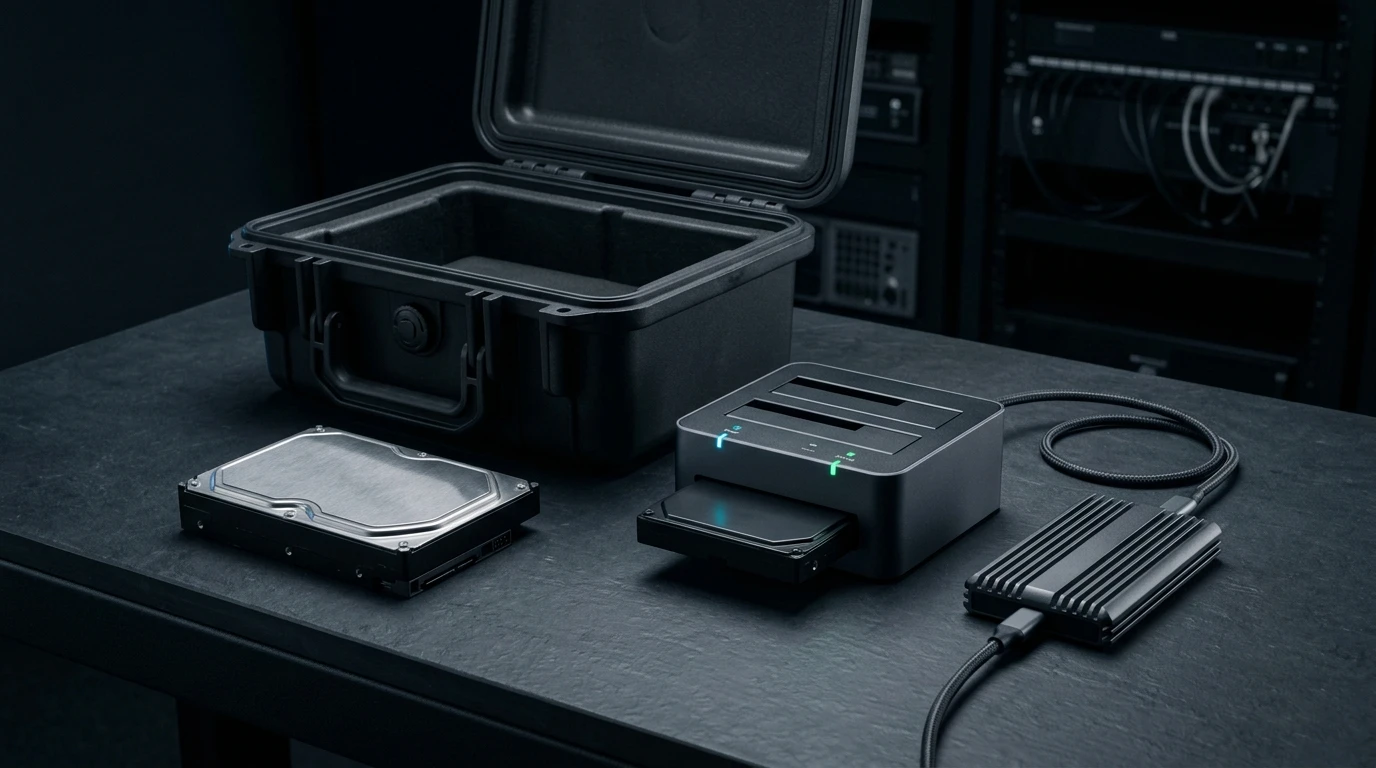
The cleanest desktop & Proxmox air-gap workflow: Slide a bare enterprise 3.5-inch CMR drive into the front of your PC or server without screws, flip the physical power lock key on the ICY DOCK cage, run your Proxmox Backup Server sync or Restic job over native SATA (zero fragile USB-bridge disconnects), then unmount, flip the power key off, and slide the drive straight into its anti-static hard case and safe.
3. The 177°C Paper-Safe Trap: Why Ordinary Fire Safes Kill Electronics
This single engineering detail catches almost everyone off guard. Most affordable "fireproof" document safes sold in DIY stores carry a UL Class 350 rating (typically 30 or 60 minutes). That rating only guarantees the inside air stays below 177°C (350°F)—chosen specifically because paper starts scorching around 233°C.
During a real house or office fire, 177°C inside a metal box turns a standard plastic safe into an oven: USB plugs warp, thin plastic shells melt into the drive housing, hard drive lubricants degrade, and flash NAND cells lose data rapidly above 85°C. Even worse, standard gypsum-lined fire safes release bound moisture as corrosive steam inside the safe to keep paper cool—ruining unsealed circuit boards!
How to Shield Offline Drives Properly Against Fire & Water
- Buy a Digital-Media Safe (
UL Class 125) for Critical Archives: True digital-media safes (higher-tier SentrySafe / Honeywell / Phoenix media chests) keep internal temperatures below 52°C (125°F) and protect against steam and sprinkler water. - Use the "Russian Doll" Double Thermal Barrier on a Budget: If you own or buy a standard waterproof & fire-resistant chest (e.g., SentrySafe / Master Lock Fire & Water Chest), place your rugged SSD inside a waterproof Pelican/hard EVA shell, wrap that inside a fiberglass silicone fireproof document pouch, toss in two silica gel desiccant packets against condensation, and put that sealed bundle inside the fire safe.
- Remember the Ultimate "Zero-Heat" Protection — Geographic Separation: No safe survives a 3-hour structural collapse as reliably as keeping one encrypted drive miles away at your parents' house, office locker, or trusted partner's home and swapping Drive A and Drive B once a month.
Fire & Water Safe Chests + Fiberglass Thermal Pouches + Pelican Hard Cases
Always encrypt air-gapped drives before locking them away: A fireproof safe slows down opportunistic theft, but a 10 kg portable chest can still be carried out of a house or office by a burglar with a crowbar. When every drive uses Restic, Borg, BitLocker, LUKS, or IronKey hardware encryption, a stolen safe means zero leaked client GDPR files or family documents.
4. Keeping the "0" in 3-2-1-1-0: Safe Unmount & Off-Site Sanity Rules
- Always software-unmount before yanking cables: Yanking an active USB or SATA drive mid-write corrupts the backup catalog so future incremental runs break. Finish every job with clean
umount/ Windows Safely Remove Hardware, or power off theICY DOCKtray switch after spin-down. - Never store your decryption passphrase ONLY inside your password manager on the crashed PC: Keep the emergency backup decryption passphrase written cleanly inside a sealed fireproof pouch or engraved card alongside your spare FIDO2 YubiKey hardware key.
- Pair your live NAS & workstation with a Pure Sine Wave UPS: Sudden blackouts mid-backup corrupt indexes—see our Pure Sine Wave & LiFePO4 UPS Guide so scheduled local backups finish cleanly even during grid dips.
4.1 Live Lab Proof: Restic 0.20.0 + rclone Zero-Knowledge Cloud (AES-256), USB TRIM & Refurbished SMART Forensics
- Verified
Restic 0.20.0→ Proxmox SATA SSD Benchmark (2.5GbESFTP): In our production vault, 34,230 files (13.32 GiBraw) compressed withzstd maxand client-sideAES-256-CTR + Poly1305down to9.32 GiB(-30.1%) in3 min 28 s. Daily incremental runs scan in1–2 s, and a bit-for-bit verified (cmp -s) single-file restore drill completes in939 ms. - Zero-Knowledge Cloud Off-Site Vault (
rclone v1.76.0+scope=drive.file): Always register your own freeOAuth Client ID(Desktop app) rather than using rclone's shared global key, which triggersHTTP 403 RATE_LIMIT_EXCEEDEDfailures under load. With a private client ID, encrypting 17,382 files (2.79 GiB→1.56 GiB,-44.2%) finished with zero HTTP 403 errors, and a quickping -c 1 -W 3LAN gate lets travel laptops skip an unreachable home NAS and push straight to encrypted cloud. - Self-Hosted Git Layer (
Forgejo v17on Proxmox LXC): Mirrors all source repositories at123.9 MiB RAM(hardened viasystemd-analyze securityto1.5 OK)—handling multi-gigabyte media/print repos (5.3 GB) that exceed GitHub's100 MBfile limit. - Two USB & Cold-Drive Traps Caught in the SpecInfo Lab:
- Blocked Linux USB NVMe
TRIM& Recycled DVD-Bridge Chips: Enclosures built onJMicron 152d:a583default toprovisioning_mode=fullsofstrimfails until you add a/etc/udev/rules.d/50-usb-nvme-trim.rulesrule settingATTR{provisioning_mode}="unmap". Meanwhile, bargain SATA adapters using recycled DVD chips (Initio 13fd:3940) reportrotational=1on SSDs and stripSMART/UASP/TRIM—stick toASMedia ASM1153EorRealtek RTL9210B. - Refurbished Cold-Backup Drive SMART Counter Resets: Never trust
Power_On_Hoursalone on renewed archival HDDs. Inspectsmartctl -d sat -x(the un-wipedSMART Self-test log): a lab cold drive showing only27 hin attribute#9revealed30,474 hof prior 7-day datacentre self-tests in its extended log.
- Blocked Linux USB NVMe
5. Verified 3-2-1-1-0 Air-Gap & Disaster Recovery Matrix
Filter by storage media, physical quick-swap trays, and fire/water containment gear. Zero fixed retail prices—check live Amazon UK / Global stock directly:
| Hardware Model / Series | Category & Interface | Durability & Protection | Cold-Storage Shelf Fit | Best Role in 3-2-1-1-0 | Check Availability |
|---|---|---|---|---|---|
| Samsung T7 Shield Portable SSD | USB 3.2 Gen 2 NVMe (1–4 TB) | IP65 Water/Dust + 3m Drop Rubber | Weekly / Monthly Refresh | Fast weekly air-gap & travel off-site rotation | View on Amazon ↗ |
| Crucial X9 Pro / X10 Pro | Anodized Portable SSD (1–4 TB) | IP55 Seal + Micron TLC NAND | Weekly / Monthly Refresh | Compact pocket archive inside fire pouches | View on Amazon ↗ |
| Kingston IronKey Vault Privacy 80 | Touchscreen PIN SSD (Up to 7.68 TB) | FIPS AES-256 XTS + Auto-Wipe | Zero-Driver OS-Independent | GDPR law/accounting cold backups on locked PCs | View on Amazon ↗ |
| WD Red Plus / Seagate IronWolf CMR | 3.5" Enterprise SATA CMR (4–20 TB) | 100% CMR Magnetic Platters | Long-Term Multi-Year Cold Vault | Massive multi-year archives & Proxmox/NAS clones | View on Amazon ↗ |
| ICY DOCK Quick-Swap SATA Cage | 5.25" Trayless Hot-Swap + Power Key | Steel Chassis + Metal Lock Latch | Clean SATA Physical Air-Gap | Slide bare 3.5" HDDs in/out cleanly with zero cables | View on Amazon ↗ |
| SentrySafe Fire & Water Safe Chest | Insulated Fire & Waterproof Vault | Watertight Gasket + Fire Rating | Fixed Home / Office Safe | Heavy outer flood/fire shell for backups & FIDO2 keys | View on Amazon ↗ |
| Fireproof Bag + Anti-Static Drive Cases | Fiberglass Pouch + Hard Drive Armor | Inner Thermal + Shock + Silica Seal | Russian-Doll Secondary Shield | Drops peak heat & steam damage inside safes & travel | View on Amazon ↗ |
🛠️ Complete 3-2-1-1-0 Air-Gap & Disaster Recovery Stack
Stop trusting single drives or synced folders: build a physically isolated, fire-shielded vault tailored to your data volume:
6. Frequently Asked Questions (FAQ)
Why isn't RAID 1, RAID 5, or ZFS RAID-Z2 on a NAS a real backup?
RAID keeps your server or office running if one disk dies mechanically—that is availability, not backup. If ransomware hits your computer, an employee overwrites an accounting folder, or a lightning surge fries your power supply, RAID writes the exact same disaster across every spinning disk simultaneously.
Why can a standard fireproof safe melt USB drives and SSDs during a fire?
Affordable document safes are typically rated only to UL Class 350, meaning interior air is kept below 177°C so paper will not burst into flames. Plastics soften, solder weakens, and SSD flash memory degrades fast well below 177°C—so digital drives need either a Class 125 (<52°C) media safe or multi-layer inner thermal pouches plus an off-site copy miles away.
Should I buy an external SSD or a 3.5" CMR hard drive for offline cold backups?
Pick rugged SSDs like the Samsung T7 Shield when you rotate backups weekly or monthly (every mount refreshes NAND charge and finishes quickly). Pick enterprise 3.5-inch CMR HDDs inside an ICY DOCK bay or protective anti-static case when archiving multi-terabyte vaults or leaving a drive untouched for 1–5 years.
What do the extra "1" and "0" in 3-2-1-1-0 stand for?
3 copies total, on 2 distinct media types, with 1 copy stored off-site, plus 1 copy strictly offline / air-gapped against ransomware, verified with 0 recovery errors via scheduled integrity checks and real restore drills.