Audio for Engineers & Remote Work: Dynamic USB/XLR Microphones That Cut Server Hum & External USB DACs That Kill GPU Buzz
If you keep a Proxmox mini-server, dehumidifier, mechanical keyboard, or high-wattage GPU workstation in the same room where you take client calls, two audio headaches show up immediately: your headset microphone broadcasts every fan and keystroke on calls, and your headphones hum or squeal whenever the GPU loads up. Here is how close-range dynamic cardioid USB-C/XLR microphones, low-profile desk boom arms, and external USB or optical DACs solve both cleanly—with zero Windows bloatware on Linux or locked work laptops.
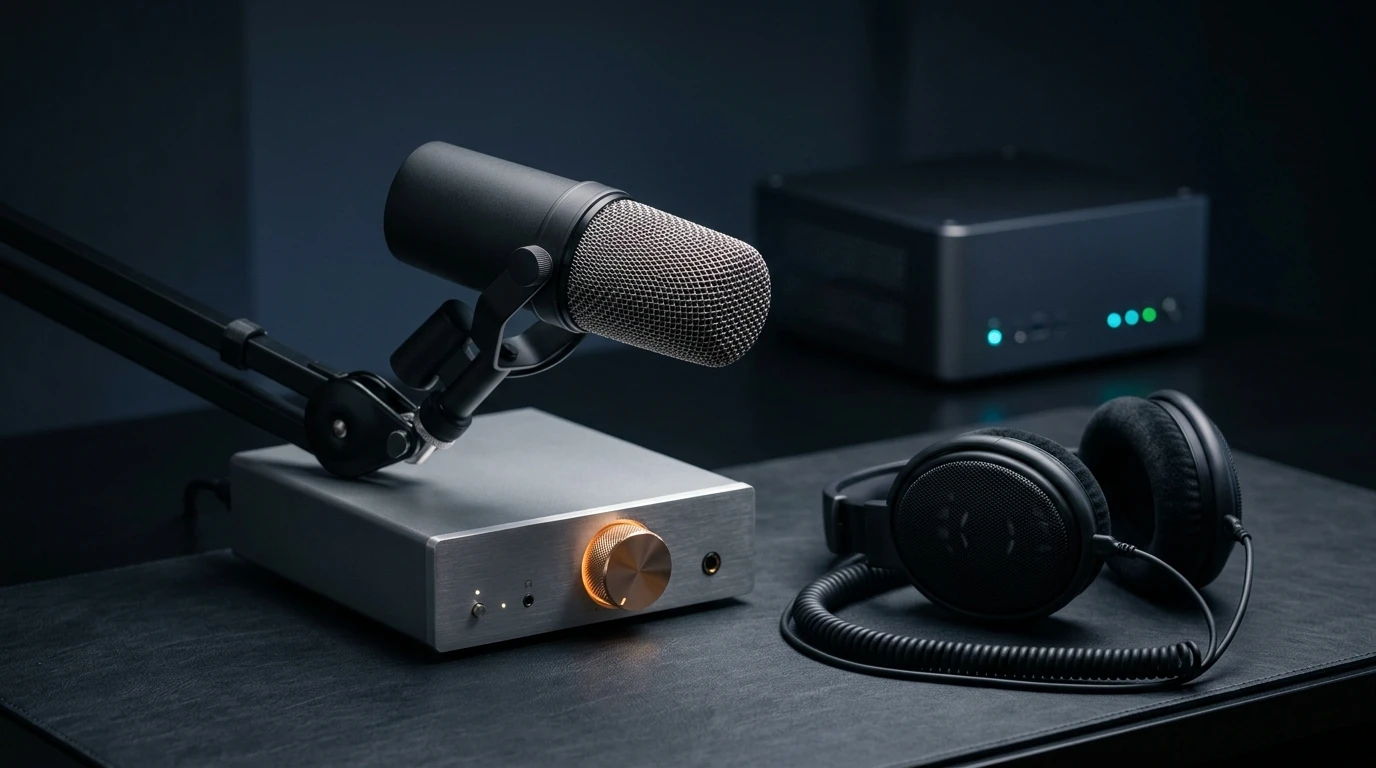
🎧 SIMPLE DESK PHYSICS BEFORE BUYING SOFTWARE FILTERS
Heavy AI noise-cancelling plugins work poorly when a condenser mic sits 50 cm away next to a noisy switch or mechanical keyboard—your voice ends up sounding metallic and robotic. Fixing sound mechanically first with a dynamic capsule 10–15 cm from your lips and moving headphone electronics outside the noisy PC chassis beats software workarounds every single time.
1. Why Popular Condenser Microphones Broadcast Your Server Rack & Keyboard
Most popular desk microphones marketed to streamers and office callers use sensitive condenser capsules. Condenser mics were originally designed for padded, dead-quiet vocal booths—their lightweight diaphragms pick up every distant room reflection, open window breeze, cooling fan, dehumidifier compressor, and click from your mechanical keyboard.
A cardioid dynamic microphone (Rode PodMic USB, Shure MV7+, Audio-Technica AT2040USB, or budget favorite Fifine K688 / AM8) works like a close-range broadcast microphone on stage. The heavier voice-coil capsule needs direct vocal volume from roughly 10–15 cm (about a hand-width) away, while background room sounds behind the microphone drop off dramatically—giving you warm, radio-clean speech on Zoom, Teams, or Google Meet even right beside a running homelab node.
Rode PodMic USB & Shure MV7+
Plug straight into Linux, macOS, or a locked corporate laptop over USB-C today—and still keep a pro XLR jack ready if you ever add a desktop interface later.
Fifine K688 / AM8 & AT2040USB
True cardioid dynamic capsules with clean mute touch buttons and headphone monitoring jacks—massive jump in call clarity without oversized desk clutter.
Desk-Stand Condenser / Monitor Webcam Mic
Standing a condenser mic on a bare desk next to monitors picks up hollow room echo, fan hum, and keyboard vibrations straight into everyone's ears.
🧮 Interactive Engineer Audio Isolation & Desk Match Auditor
Match microphone capsule, low-profile arm, DAC isolation method, and studio headphones cleanly to your real room noise—100% in RAM.
# SpecInfo Clean Audio Desk & Linux PipeWire Setup
Rode PodMic USB / Shure MV7+ / Fifine K688
Having both USB-C and XLR on the same body means zero wasted hardware: plug USB-C straight into a locked company ThinkPad or Linux workstation now (with onboard headphone zero-latency monitoring), or feed XLR into an interface later. For a lighter budget entry with the same close-voice physics, pick the Fifine K688 or AM8.
2. Low-Profile Boom Arms & Dual-Monitor Desk Geometry
Buying a great dynamic microphone and leaving it on a short desk tripod defeats half the benefit: desk stands keep the mic too far away (forcing high preamp gain that pulls fan noise back in) and turn every spacebar press into a hollow bass boom.
- Skip tall overhead scissor arms on multi-monitor desks: Overhead broadcast arms dangle straight across 27" 4K coding monitors and block your webcam during video calls.
- Use a low-profile under-monitor arm (
Elgato Wave Mic Arm LP/FIFINE BM88): Horizontal low-profile arms clamp at the back edge, swing smoothly underneath your monitor bezel with hidden cable channels, and stop right below your chin at an angle so you barely notice them on screen. - Point the back of the mic at the noise: Cardioid microphones reject sound best directly from the back tail (180 degrees opposite the front grille). Angle the capsule slightly from the side toward your mouth so the back points at your keyboard and server corner.
3. Stopping GPU Coil-Whine Buzz & Driving Real Studio Headphones (FiiO K11 / Topping DX3 Pro+)
Plug sensitive headphones into a desktop PC's front-panel 3.5mm jack while a local LLM or compiler pushes GPU draw past 300W, and many engineers hear an unmistakable high-pitched electronic buzz or mouse-scroll whine. That noise comes from shared ground traces running past noisy motherboard VRMs and PCIe power rails.
An external desktop USB DAC & headphone amplifier—such as the FiiO K11 / K11 R2R, Topping DX3 Pro+, or an XLR-capable interface like the Audient iD4 / Focusrite Scarlett Solo 4th Gen—moves digital-to-analog conversion out onto your desk with clean power filtering, tactile physical volume knobs, and ample headroom for comfortable velour studio headphones (Beyerdynamic DT 770 Pro X / DT 900 Pro X or Sennheiser HD 560S).
FiiO K11 / Topping DX3 Pro+ & Beyerdynamic / Sennheiser
Practical ground-loop tip: If a stubborn hum still sneaks over USB power from a noisy workstation PSU, connect your motherboard's optical TOSLINK output (or a cheap USB-to-TOSLINK bridge) straight into the optical input on a FiiO K11 or Topping DX3 Pro+. Optical fiber carries light, not copper—cutting 100% of electrical ground loops permanently.
4. Complete Engineer Desk Audio Matrix (Mics, Arms, DACs & Headphones)
Filter by dynamic microphones, external DAC/interfaces, or studio headphones & low-profile arms. Zero static prices—check live Amazon availability directly:
| Hardware Model | Type / Interface | Noise & Isolation Advantage | Linux / Desk Fit | Best Fit For | Check Availability |
|---|---|---|---|---|---|
| Rode PodMic USB | Dynamic Cardioid • USB-C + XLR | Built-in APHEX DSP + strong rear fan rejection | Driverless UAC2 + zero-latency 3.5mm | Long-term hybrid remote call & studio setup | View on Amazon ↗ |
| Shure MV7+ | Dynamic Cardioid • USB-C + XLR | Voice Isolation DSP + touch mute LED strip | Works cleanly on locked work laptops | Engineers sharing rooms with noisy equipment | View on Amazon ↗ |
| Audio-Technica AT2040USB | Hypercardioid Dynamic • USB-C | Tighter narrow beam rejects side keyboard clatter | Plug-and-play USB-C + mix dial | Pure USB desk callers wanting tight focus | View on Amazon ↗ |
| Fifine K688 / AM8 | Dynamic Cardioid • USB-C + XLR | Low-cost close-voice capsule + included shock mount | Driverless USB-C & quick top tap-to-mute | Highest value starter upgrade over headset mics | View on Amazon ↗ |
| FiiO K11 / K11 R2R | Desktop USB-C + Optical + Coax DAC/Amp | External power & optical input kill GPU whine | Compact slim slab fits cleanly under monitor | Headphone clarity + optical ground-loop escape | View on Amazon ↗ |
| Topping DX3 Pro+ | USB + Optical + Coax + LDAC DAC/Amp | Ultra-low noise floor + remote + high amp power | Driverless UAC2 on Linux/macOS/Windows | High-impedance 250Ω studio headphones | View on Amazon ↗ |
| Audient iD4 MkII / Scarlett Solo 4th Gen | XLR Preamp + USB-C Interface | Clean mic preamp + separate headphone knob | Fully class-compliant ALSA/PipeWire Linux | Users running an XLR mic & headphones on 1 box | View on Amazon ↗ |
| Beyerdynamic DT 770 Pro X / Sennheiser HD 560S | Closed-Back (DT 770) / Open-Back (HD 560S) | Soft replaceable velour pads + zero pleather peel | Single detachable cable + 8-hour comfort | Closed for noisy rooms; open for quiet rooms | View on Amazon ↗ |
| Elgato Wave Mic Arm LP / FIFINE BM88 | Low-Profile Under-Monitor Boom Arm | Decouples mic from desk thuds & clears monitors | Built-in cable tray & C-clamp desk mount | Essential companion for every dynamic mic | View on Amazon ↗ |
🎙️ Complete Silent-Call & Zero-Buzz Desk Bundle
Combine one close-range dynamic mic, a low-profile arm beneath your screens, and an external USB DAC with breathable velour headphones:
5. Frequently Asked Questions (FAQ)
Why does my condenser microphone pick up my Proxmox server, keyboard, and street traffic?
Condenser capsules are engineered to capture subtle ambient detail across a quiet studio room. In a real office or homelab corner with server fans, mechanical switches, or a dehumidifier nearby, a condenser amplifies that constant hiss unless you soundproof your walls. A dynamic cardioid mic needs direct close voice volume right at the grille, leaving distant fans and clicks naturally quiet.
Why do my headphones buzz whenever my GPU runs local AI or games?
Motherboard 3.5mm audio traces run right past noisy GPU power delivery (VRMs) and PCIe slots. Moving headphone conversion outside the case onto an external USB DAC—or breaking the electrical ground connection entirely over an optical TOSLINK cable into a FiiO K11 or Topping DX3 Pro+—silences coil whine buzz immediately.
Should I buy a pure USB-C microphone or a hybrid USB-C + XLR model?
Choose a hybrid USB-C + XLR dynamic microphone like the Rode PodMic USB, Shure MV7+, or Fifine K688. It plugs straight into any Linux workstation or restricted corporate laptop with a single USB-C cord today, while leaving an XLR port open if you add a desktop interface later.
Do USB-C dynamic mics and external USB DACs work out of the box on Linux?
Yes. Class-compliant UAC2 desktop DACs (FiiO K11, Topping DX3 Pro+), USB-C dynamic mics, and interfaces like the Audient iD4 or Scarlett 4th Gen register cleanly inside Linux PipeWire and ALSA with zero proprietary driver downloads needed.