No-Subscription Video Doorbells & Intercoms: Tuya Battery vs Wired vs Reolink PoE & DIN Transformers
Most consumer smart doorbells trap you in one of three daily headaches: monthly cloud fees just to play back yesterday's clip, battery Wi-Fi units that wake up five seconds too late to catch the delivery driver, or outdoor intercom relays wired straight to a gate strike that any intruder can short with a screwdriver. Here is the zero-subscription engineering blueprint.
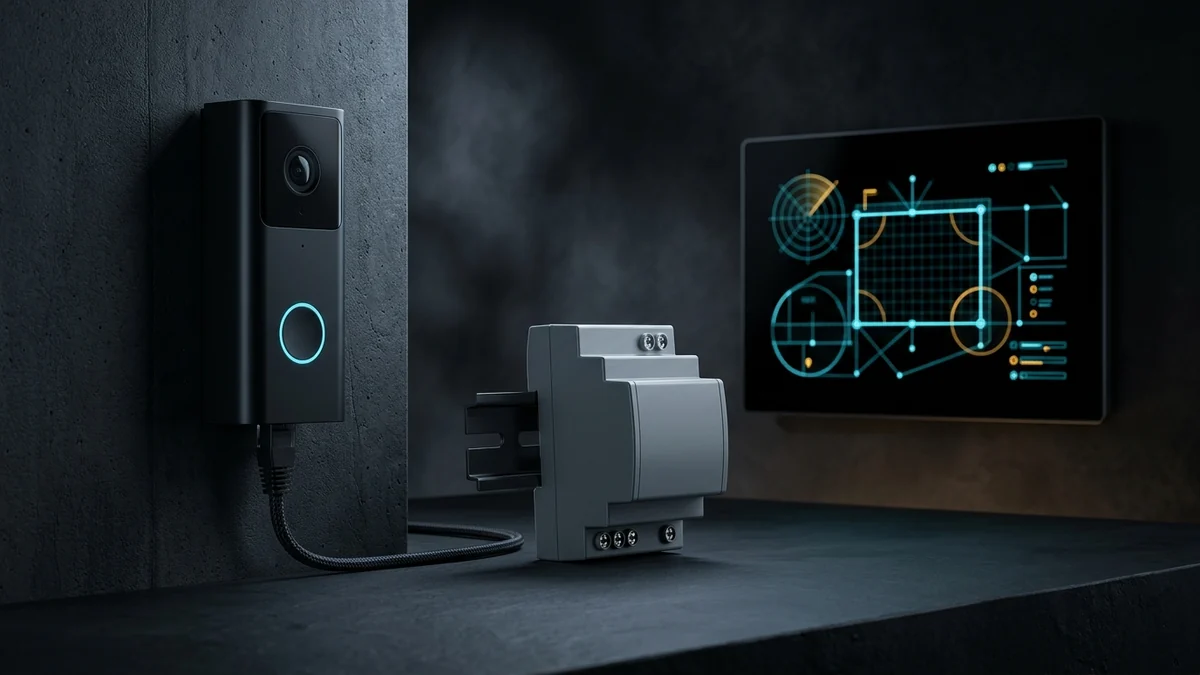
Verified PoE Doorbell, 16–24V DIN Transformer, Wired Intercom & Indoor Gate Relay
Core components for building a subscription-free front-door or garden-gate video system. Links automatically route to your local Amazon storefront (UK / US / PL) with zero static price claims.
230V AC mains wiring; isolate the main breaker, verify zero voltage with a multimeter, or hire a qualified electrician.
1. Why Battery Wi-Fi Doorbells Fail Real-World Couriers & Winter Frost
On paper, sticking a battery-powered Tuya or mainstream cloud doorbell onto your front frame with adhesive tape looks effortless. In daily life, three physics bottlenecks ruin the experience within weeks:
- The 3–8 Second PIR Wake-Up Trap ("Van Tail-Lights Syndrome"): To survive a few months between USB charges, a battery doorbell keeps its camera sensor, video encoder, and Wi-Fi chip completely asleep. When a courier walks up, a passive infrared (PIR) sensor must wake the processor, associate with your router, negotiate cloud encryption, and start saving frames—taking 3 to 8 seconds. By the time recording begins, the parcel is already on the mat and you only see the back of the courier's jacket or the van pulling away. Always-powered wired and PoE doorbells maintain a continuous pre-roll buffer in RAM so the saved clip starts before the visitor even touches the button.
- Sub-Zero Winter Lithium Voltage Sag (
<0°C): Outdoor lithium cells hate freezing porch air. Even if the app showed plenty of charge in autumn, a cold snap below freezing causes internal battery resistance to spike and output voltage to sag under Wi-Fi load—triggering sudden shutdowns right when you are away for the holidays. - Porch Wi-Fi Attenuation & Cloud Jamming: Front doors sit behind thick brick walls, uPVC foil-backed insulation, or metal security doors, while Wi-Fi operates on crowded unlicensed bands susceptible to congestion and deauth interference. A single wired cable—especially Ethernet PoE—eliminates battery anxiety, wireless dead zones, and wake-up latency permanently.
2. Head-to-Head: Tuya Battery Wi-Fi vs Tuya Wired Intercom vs Reolink PoE
Before pulling cable or buying a box, match the architecture cleanly against how your home is wired and who answers the door:
| Feature / Field Metric | Tuya Battery Wi-Fi Doorbell | Tuya 2-Wire / 4-Wire Wired Monitor Intercom | Reolink Video Doorbell PoE (802.3af) |
|---|---|---|---|
| Power & Data Path | Internal Li-Ion battery + 2.4 GHz Wi-Fi |
Existing 2-wire / 4-wire bell cable to indoor touchscreen monitor (Wi-Fi on indoor screen) |
Single pure-copper Cat6/Cat6A cable (IEEE 802.3af 48V PoE power + Gigabit data) |
| Wake-Up Latency & Pre-Roll | 3–8 s PIR wake-up delay (misses fast couriers) |
Instant indoor screen ring (<1 s); app notification varies by model |
Zero wake delay — 24/7 stream + continuous pre-roll buffer |
| Video Quality & Local Storage | 1080p–2K compressed clip snippets; often pushes cloud plans |
1080p on indoor monitor microSD; app playback depends on Tuya model |
2K+ (5MP) crisp head-to-toe view; microSD + Reolink NVR + RTSP/ONVIF |
| Home Assistant / Frigate | Poor (deep sleep blocks RTSP; cloud-bound) |
Limited (primarily Tuya app + wall screen) | Native Platinum Support (local Reolink integration, RTSP, ONVIF, button & person entities) |
| Subscription Required? | Watch carefully for cloud-gated AI/history tiers | Zero fee for indoor screen & local SD clips | Zero mandatory fees forever (all AI person/ring detection runs onboard) |
| Best Real-World Fit | Strict zero-drill rental apartments only | Family homes with existing 2-wire gate cable wanting a dedicated hallway touchscreen |
Gold Standard for permanent homes, Home Assistant, NVR recording & zero cloud lock-in |
Reolink Video Doorbell PoE
If you can route one pure-copper Cat6 cable to the front door or gate pillar (as covered in our Pure Copper Cat6A vs Fake CCA PoE Guide), Reolink PoE wins outright: zero batteries, zero bell transformer guesswork, 2K+ clarity, and native RTSP / ONVIF into NVR or Frigate.
Tuya Wired Monitor Intercom
When buried garden-gate conduit only holds an old 2-wire bell cable and digging trenches is impossible, a Tuya 2-wire / 4-wire indoor monitor kit gives parents and guests a dedicated physical touchscreen by the hallway door plus smartphone fallback—without relying on outdoor batteries.
Battery Wi-Fi Doorbells
Reserve battery Wi-Fi models exclusively for strict rentals where drilling brick or pulling low-voltage wire is forbidden. Expect 3–8 s PIR wake delays, extra winter charging cycles below 0°C, and stronger dependence on porch Wi-Fi coverage.
3. Bell Transformer Rules: Why Legacy 8V AC Fails vs 16–24V AC (15–30 VA) DIN Rails
Many homeowners reuse the old two-wire doorbell button cabling with a smart AC-powered doorbell (such as Reolink Wi-Fi or wired smart chimes) and wonder why the unit works fine at noon yet crashes or buzzes constantly after dark.
Think of an old 8V AC (often 5–8 VA) mechanical chime transformer like trying to crank a car engine off two tiny watch batteries. A traditional push-button chime only draws current for half a second when pressed. A smart video doorbell is a miniature Linux computer running a camera sensor, H.264/H.265 encoder, Wi-Fi radio, and high-draw infrared LEDs all night long. The instant night-vision LEDs switch on or someone presses the button, voltage sags sharply on the old 8V transformer—causing the doorbell to brown-out, lose Wi-Fi, and reboot in an endless loop.
- The Safe DIN-Rail Spec (
16–24V AC,15–30 VA): Replace weak8Vunits inside your distribution board with a dedicated16V–24V ACDIN-rail bell transformer rated at15–30 VA(providing comfortable current headroom so voltage holds steady during simultaneous ring, Wi-Fi upload, and IR illumination). - Check AC vs DC Requirements Per Model: Some wired doorbells accept
12–24V ACor24V DCinterchangeably (including the Reolink Wi-Fi doorbell), while certain Tuya 2-wire intercom kits include their own15V / 24V DCindoor monitor power brick feeding the bus. Never mix an unverifiedACtransformer onto a strictDC-onlyinput—always verify the terminal label on the backplate first. - Watch Thin Long-Run Voltage Drop: Over long garden-gate runs using thin
0.5 mm²alarm wire, higher voltage (24Vrather than8Vor12V) carries power far more reliably with less heat loss along the cable.
4. Critical Security Rule: Never Wire the Gate Strike Inside the Outdoor Doorbell!
Almost every DIY video intercom kit prints a tempting wiring diagram showing two screw terminals labeled COM and NO on the back of the outdoor camera station, running straight down to your pedestrian gate's 12V electric strike.
Do not wire it that way. Putting the lock switch outside your fence turns a smart intercom into a five-second bypass tool for burglars:
- An intruder walks up to your gate with a standard Torx or security screwdriver and pops the outdoor doorbell off its bracket in under 10 seconds.
- They cut or bridge the
COMandNOwires sticking out of the wall behind the camera—instantly energizing your electric strike and walking straight onto your property without ever touching the app or PIN pad. - The Secure Architecture (Indoor Dry Contact Relay + Indoor Strike PSU): Run the electric strike cable directly from the gate latch back inside your house or locked garage distribution board. Mount both the
12V DCstrike power supply and aZigbee 3.0or localWi-FiDry Contact DIN relay module safely indoors behind locked walls. When you tap "Unlock Gate" in Home Assistant or your intercom app, your indoor hub closes the protected relay—so ripping the outdoor camera off the wall yields zero lock access (only a severed Ethernet or 2-wire power lead).
If you integrate the camera and lock inside Proxmox Home Assistant + Zigbee2MQTT or our Unified Smart Home Security Brain, you can also require a confirmation press or biometric phone unlock before firing the indoor Dry Contact relay—and protect your router, NVR, and PoE switch on a small DC Mini-UPS so the gate unlock and surveillance stay alive during brief power flickers.
5. Usability Upgrades: Live Tablet/TV Popups & After-Hours Quiet Chime Mute
A subscription-free local doorbell shines brightest when it stops behaving like a delayed phone-only gadget and becomes a smooth part of your home:
- Automatic Wall Tablet (
Fully Kiosk) & Living Room TV Popup: BecauseReolink Video Doorbell PoEexposes localRTSP/HTTPstreams and an instantvisitorbinary sensor in Home Assistant, pressing the doorbell can automatically wake a hallway Android wall tablet running Fully Kiosk Browser (or send a picture-in-picture overlay to an Apple TV / Android TV) within half a second—showing who is at the door without hunting for your phone. - Quiet Hours Chime Mute (
After 21:00): Physical mechanical or wireless hallway chimes wake sleeping children and set dogs barking late at night. Keep the physical chime active from07:30to21:00, and let an automated Quiet Hours rule silence the indoor chime after21:00—delivering only a discreet silent notification with snapshot to parents' phones and flashing a soft desk lamp or hall LED strip instead. - VLAN Isolation & Local Storage: Place PoE doorbells and NVRs on a dedicated camera subnet blocked from outbound internet P2P relays while preserving instant access over WireGuard or Tailscale, exactly as detailed in our Reolink PoE IP Cameras, NVR & No-Cloud VLAN Guide.
🚪 Interactive Video Doorbell, DIN Transformer & Gate Security Planner (100% In-RAM)
Select your available entry cabling, gate strike requirement, and local recording target to generate the safe power spec, indoor relay topology, hardware picks, and Home Assistant Quiet-Hours + Tablet Popup YAML.
6. Recommended Hardware Picks: Zero-Subscription Doorbells, Transformers & Relays
Reolink Video Doorbell PoE (No Subscription)
The benchmark zero-subscription smart doorbell. Delivers instant pre-roll recording, local AI person detection, full Home Assistant / Frigate compatibility, and zero battery winter failures.
View on Amazon ↗16V–24V AC DIN-Rail Bell Transformer (30VA)
Replaces legacy 8V AC bell transformers that collapse when night IR LEDs and Wi-Fi transmit together. Sized cleanly to prevent voltage drop over long 2-wire porch or gate runs.
View on Amazon ↗Tuya Wired 2-Wire / IP Video Intercom Monitor Kit
Ideal for family homes upgrading old 2-wire gate intercom wiring where running Cat6 Ethernet is impossible. Gives everyone a dedicated indoor monitor plus smartphone alerts.
View on Amazon ↗Zigbee / Wi-Fi Dry Contact Gate Relay Module (Indoor DIN)
Mount inside your indoor distribution board alongside the 12V strike PSU rather than behind the outdoor camera. Triggers electric gate or door strikes safely via Zigbee or local LAN.
View on Amazon ↗7. Related SpecInfo Engineering Blueprints
- Reolink PoE IP Cameras, NVR & No-Cloud Surveillance VLAN Guide
- Unified Smart Home & Security Brain: Reolink PoE, Govee, Tuya Zigbee & Solar
- Home Assistant + Zigbee2MQTT on Proxmox: SONOFF ZBDongle-E Lab Guide
- Pure Copper Cat6A vs Fake CCA Ethernet: Why CCA Breaks Outdoor PoE
- Tuya & Zigbee 3.0 Smart Home Guide: mmWave Sensors, Wired Gateways & Relays