Home Assistant + Zigbee2MQTT 2.14.3 on Proxmox: SONOFF ZBDongle-E EmberZNet 9.1.1 Flash & XMODEM Lab Guide
Upgrading a stock SONOFF ZBDongle-E (EFR32MG21, CH9102F, 1a86:55d4) from legacy EZSP 6.10.3.0 through EmberZNet 7.4.4.0 straight to EmberZNet 9.1.1.0 without soldering or opening the aluminum shell—and wiring it cleanly into a Proxmox HAOS VM running Zigbee2MQTT 2.14.3 with zero XModem 0x21 hub drops, zero MQTT timeouts, and clean Channel 25 Wi-Fi coexistence.
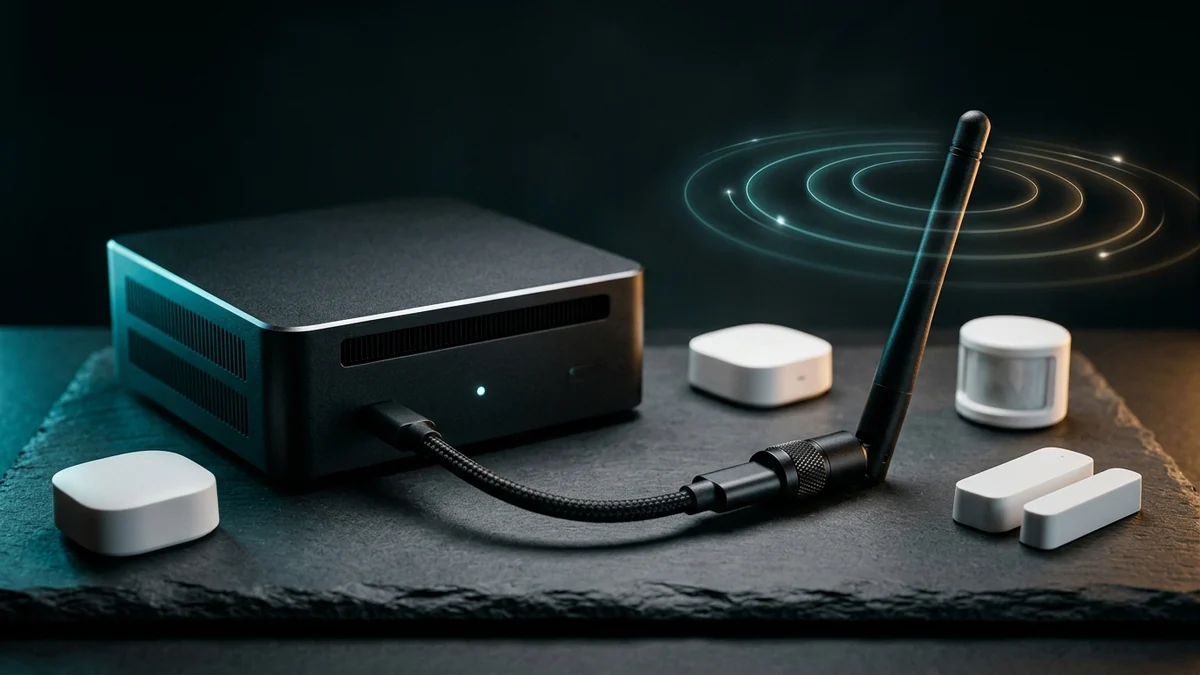
Coordinators, Shielded USB 2.0 Extensions & Silent Proxmox HAOS Nodes
Everything needed to build a rock-solid, cloud-free Home Assistant + Zigbee2MQTT mesh without USB 3.0 RF drop-offs or dock FIFO headaches. Links automatically route to your regional Amazon store (UK / US / PL).
1. Hardware Baseline & Why Legacy ezsp Must Move to ember
Many homelabbers still have a SONOFF ZBDongle-E sitting on factory EZSP 6.10.3.0 firmware, paired with the legacy ezsp driver in Zigbee2MQTT. That combination worked back when ezsp carried an experimental badge, but modern Zigbee2MQTT 2.x builds replaced it with the completely rewritten, rock-solid ember driver—and old 6.10.x firmware lacks the stability and buffer headroom needed for busy Zigbee 3.0 sensors.
Conversely, if you flash modern EmberZNet 8.x or 9.1.1 firmware onto the dongle while an older Zigbee2MQTT 1.x add-on is still configured for ezsp, Zigbee2MQTT refuses to boot immediately with an explicit version mismatch error. Both halves—coordinator firmware and the ember adapter driver—must step forward together.
# Persistent Linux / HAOS device ID (never rely on floating /dev/ttyACM0!)
/dev/serial/by-id/usb-ITEAD_SONOFF_Zigbee_3.0_USB_Dongle_Plus_V2_XXXXXXXXXXXXXX-if00

# 1) Factory baseline probe:
INFO Probing ApplicationType.GECKO_BOOTLOADER at 115200 baud
INFO Probing ApplicationType.EZSP at 115200 baud
INFO Detected ApplicationType.EZSP, version '6.10.3.0 build 297' (6.10.3.0.297) at 115200 baudrate

# 2) After Run #1 (ITEAD official 7.4.4.0, 1,872 blocks in 42.78 s, retries=0):
INFO Detected ApplicationType.EZSP, version '7.4.4.0 build 0' (7.4.4.0.0) at 115200 baudrate

# 3) After Run #2 (current Simplicity SDK EmberZNet 9.1.1.0, 1,961 blocks in 50.92 s, retries=0):
INFO Detected ApplicationType.EZSP, version '9.1.1.0 build 0' (9.1.1.0.0) at 115200 baudrate
2. Dual Upgrade Telemetry: 6.10.3.0 → 7.4.4.0 → 9.1.1.0
Here is a subtle trap when hunting for firmware files: ITEAD's older GitHub firmware archive stopped updating the Dongle-E branch at 7.4.4 (ncp-uart-sw_EZNet7.4.4_V1.0.0.gbl), while the newer official SONOFF Web Flasher (dongle.sonoff.tech) and community Simplicity SDK builds already ship the stable 9.1.1 branch.
We tested both jumps sequentially on the exact same physical dongle with its original factory Gecko Bootloader v1.12.00—no housing disassembly, no boot-button pin bridging, and no bootloader reflash required. Notice how drastically internal routing and packet tables expand in 9.1.1.0, which makes a noticeable difference once chatty Tuya Zigbee 3.0 sensors and TRVs join the mesh:
EZSP / CONFIG_* Parameter |
Factory Baseline | Run #1 (ITEAD GitHub) | Run #2 (Simplicity SDK Stable) |
|---|---|---|---|
Detected probe Version |
6.10.3.0 build 297 |
7.4.4.0 build 0 |
9.1.1.0 build 0 |
| Zigbee2MQTT Driver | Legacy ezsp (experimental) |
ember (rtscts: false) |
ember (rtscts: false, Z2M 2.14.3+) |
| Device Bootloader | Gecko Bootloader v1.12.00 |
Gecko Bootloader v1.12.00 |
Gecko Bootloader v1.12.00 (unchanged) |
Flash Telemetry (32 B / 4 ms) |
Starting state | 42.78 s (1,872 blocks, retries=0) |
50.92 s (1,961 blocks, retries=0) |
CONFIG_PACKET_BUFFER_COUNT |
250 |
250 |
8192 |
CONFIG_APS_UNICAST_MESSAGE_COUNT |
32 |
32 |
64 |
CONFIG_MULTICAST_TABLE_SIZE |
8 |
8 |
26 |
CONFIG_ROUTE_TABLE_SIZE |
16 |
16 |
200 |
CONFIG_BROADCAST_TABLE_SIZE |
35 |
15 |
30 |
CONFIG_MAC_FILTER_TABLE_SIZE |
0 |
15 |
2 |
CONFIG_NEIGHBOR_TABLE_SIZE |
16 |
26 |
26 |
CONFIG_SOURCE_ROUTE_TABLE_SIZE |
100 |
200 |
200 |
CONFIG_CTUNE_VALUE |
133 |
140 |
128 |
GBL Compatibility Note: Current EmberZNet 9.1.1.0 images such as sonoff_zbdonglee_zigbee_ncp_9.1.1_115200_sw_flow.gbl (250,928 bytes; 251,008 bytes padded = 1,961 XMODEM-CRC blocks) embed metadata tag 0xf60808f6 with "metadata_version": 3. Older versions of universal-silabs-flasher dump-gbl-metadata throw ValueError: Unknown metadata version: 3 when inspecting the file locally—but the actual Gecko Bootloader v1.12.00 and EFR32MG21 chip flash and boot the v3 GBL payload cleanly.
3. Five Real Field Traps Caught Live in the Lab (And Exact Fixes)
- Trap #1 — Linux
uucp/dialoutPermissionError [Errno 13]: On Arch Linux, Debian, and Ubuntu workstations,/dev/ttyACM0belongs touucpordialout(crw-rw----). Both WebSerial in Chromium anduniversal-silabs-flasherimmediately abort with permission denied. Permanent fix:sudo usermod -aG uucp <username>(Arch) orsudo usermod -aG dialout <username>(Debian/Ubuntu) and re-login; for a single one-off flash session,sudo chmod 666 /dev/ttyACM0works immediately. - Trap #2 —
ncp-uart-hwvsncp-uart-sw(No Hardware RTS/CTS!): Generic tutorials routinely copy-pastencp-uart-hwfor Silicon Labs chips. However, the SONOFF ZBDongle-E PCB does not connect hardware RTS/CTS flow-control lines between theCH9102Fbridge and theEFR32MG21radio. Flashinghwcan hang serial handshakes—always picksw_flow/ncp-uart-swat115200 baudand setrtscts: falsein Zigbee2MQTT. - Trap #3 —
XModem block error 0x21(BLOCKERR_SOH) Over USB Dock Hub Chains: When we initially flashed through a Thunderbolt desk dock,lsusb -trevealed our12Mcdc_acmdongle sat 3 hub tiers deep (root_hub → Hub → Hub → Hub → CH9102F). Sending full133-byteXMODEM packets in a single burst overran theCH9102F's tiny64-byteUSB FIFO, aborting randomly at14%(33.9 KB) and19%(46.6 KB, chunk363) withXModem block error 0x21. Crucially, failed flashes do NOT brick the dongle:Gecko Bootloader v1.12.00aborts withCANand waits safely for a clean retry. Fix: plug straight into a motherboard USB 2.0 port (bypassing docks and monitor hubs) or pace XMODEM writes into32 Bchunks with a4 msgap—which completed all1,872and1,961blocks withretries=0. Always deploy the live dongle on a0.5–1 mshielded USB 2.0 extension cable far away from noisy USB 3.0 ports and SSDs that radiate broadband2.4 GHzinterference. - Trap #4 — Proxmox Snapshot, Stale Add-On Cache (
ha store reload), Doubleserial:YAML & StaleMQTTIP:- Take a 1-click Proxmox VM snapshot (
pre-zbdongle) before touching HAOS or add-ons, bind a static IP outside your router's DHCP lease pool, and pass throughusb0: host=1a86:55d4on a clean USB 2.0 root bus separate from USB 3.0 drives. - If Home Assistant OS reports no updates available on an older
Zigbee2MQTT 1.42.0-2add-on (which crashes immediately on9.1.1.0becauseezsprejectsEZSP v14+), runha store reloadvia SSH/Terminal to refresh the supervisor store cache and unlock2.14.3-1. - Avoid pasting a nested
serial: serial:key inside the Supervisor add-on YAML UI—keep a flatport,adapter: ember,baudrate: 115200, andrtscts: false. - If HA Core logs
Failed to connect to MQTT server: timed outafter moving subnets or hosts, check your MQTT integration broker setting: change any stale hardcoded LAN IP to the internal HAOS hostcore-mosquitto.
- Take a 1-click Proxmox VM snapshot (
- Trap #5 — Channel
25Coexistence & Cloud-Free Tuya Zigbee Migration: Default Zigbee Channel11sits directly inside Wi-Fi Channel1. Before pairing sensors (or withcoordinator_backup.jsoncleared cleanly on a fresh mesh), switch Zigbee2MQTT to Channel25withtransmit_power: 10—giving clean RF separation alongside2.4 GHzWi-Fi and any temporary legacy Tuya hub during transition. You do not need to discard existingZigbee 3.0sensors or radiator TRVs from a Tuya Zigbee gateway: reset and pair them directly into local Zigbee2MQTT (while leaving cloud-dependent Wi-Fi Tuya plugs intact until replaced, avoiding the1970-01-01Tuya DNS storm). Once the core mesh is stable, you can optionally installHACSand experiment with AI-assisted dashboard or automation helpers (such asOpenCode AI)—strictly behind a fresh 1-click Proxmox VM snapshot so every rollback takes ten seconds.
# 1) Fix Linux serial permissions permanently (Arch vs Debian/Ubuntu)
sudo usermod -aG uucp <username>    # Arch Linux
sudo usermod -aG dialout <username> # Debian / Ubuntu

# 2) Refresh stale HAOS Add-on Store cache when Z2M 2.14.3 is hidden
ha store reload

# 3) Verified Zigbee2MQTT 2.14.3 startup on EmberZNet 9.1.1.0 + Channel 25:
zh:ember: Adapter version info: {"ezsp":19,"revision":"9.1.1 [GA]","build":0,"major":9,"minor":1,"patch":1,"special":0,"type":170}
zh:ember: [STACK STATUS] Network up.
z2m: Coordinator firmware version: '{"meta":{"build":0,"ezsp":19,"major":9,"minor":1,"patch":1,"revision":"9.1.1 [GA]","special":0,"type":170},"type":"EmberZNet"}'
z2m: Connecting to MQTT server at mqtt://core-mosquitto:1883
z2m: Connected to MQTT server
z2m:mqtt: MQTT publish: topic 'zigbee2mqtt/bridge/state', payload '{"state":"online"}'
z2m: Started frontend on port 8099
z2m: Zigbee2MQTT started!
🎛️ Interactive Zigbee2MQTT Migration & Channel Auditor (100% In-RAM)
Select your coordinator radio, home 2.4 GHz Wi-Fi channel, and Proxmox or bare-metal setup to generate a clean, trap-free Zigbee2MQTT configuration.yaml snippet, RF coexistence channel plan, and pre-flash safety checklist.
4. Trap-Free Hardware Stack for Proxmox HAOS & Zigbee 3.0
Keep your smart home brain completely local, quiet, and insulated from USB 3.0 radio noise. Whether you stick with a flashed SONOFF ZBDongle-E on a shielded USB 2.0 extension or step up to an Ethernet PoE coordinator for rack-free placement in a central hallway, every component below avoids cloud lock-in.
SONOFF ZBDongle-E (Zigbee 3.0 USB Dongle Plus V2)
Flashes cleanly from factory 6.10.3.0 to EmberZNet 9.1.1.0 on stock Gecko Bootloader v1.12.00 without opening the aluminum shell, jumping packet buffers from 250 to 8,192 for dense Zigbee 3.0 sensor and TRV heating meshes.
SMLIGHT SLZB-06 PoE Zigbee 3.0 Coordinator
Ideal if your Proxmox server lives inside a metal basement rack or you run multi-node HA clusters: connects over wired Ethernet/PoE via TCP socket so Proxmox live migrations never drop a USB serial device.
View on Amazon ↗Shielded USB 2.0 Extension Cable (1 m)
Do not plug a Zigbee stick straight into a Mini PC rear panel next to USB 3.0 SSDs. A shielded 0.5–1 m USB 2.0 extension isolates the 2.4 GHz antenna from broadband USB 3.0 RF noise and eliminates dock hub XModem 0x21 FIFO drops.
Mini PC for Proxmox HAOS (Intel N100 / N150 or Ryzen)
Runs Home Assistant OS VM alongside AdGuard Home and WatchYourLAN LXC containers with plenty of RAM headroom and instant pre-zbdongle snapshots. See our sub-15W homelab guide and Proxmox Mini PC cluster blueprint.
5. Related SpecInfo Proxmox, Telemetry & Zigbee Blueprints
- 24-Hour Home Network & IoT Telemetry Audit: AdGuard Home, WatchYourLAN, OpenSnitch & SPAN
- Tuya & Zigbee 3.0 Smart Home Engineering Guide: mmWave Presence, Wired Hubs & Smart Plugs
- Tuya Smart Thermostat for Gas Boiler: Wi-Fi vs Zigbee vs RF, Dry Contact & TRV Zoning
- Smart Water Shutoff Valves (Zigbee) & Leak Sensors: Home & Server Room Flood Protection
- Smart TV Privacy Lockdown & Home IoT VLAN Guide: Two Networks & Local DNS