Portable Bare-Metal Linux Workstation on an External USB-C / USB4 NVMe SSD: Bridge Silicon Hierarchy, UASP TRIM & Zero-Drop Kernel Guide
How we run a full 8-partition production Linux engineering workstation (/, /var, Docker overlay2, and local AI storage) 24/7 from a pocket-sized M.2 NVMe enclosure across diskless laptops and Mini PCs—complete with USB-to-NVMe bridge silicon forensics (Realtek RTL9210B vs ASMedia ASM2464PD vs the JMicron JMS583 trap), usbcore.autosuspend=-1 hardening, UASP unmap TRIM rules, and portable UEFI fallback boot.
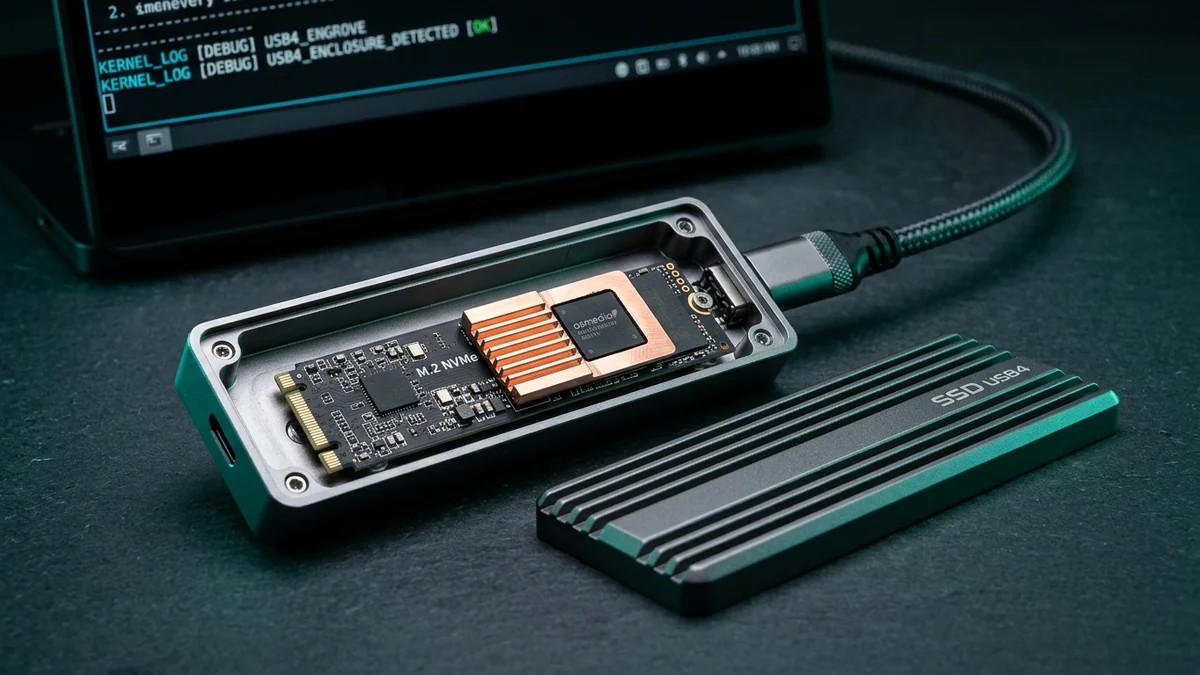
Imagine unplugging a single pocket-sized aluminum M.2 NVMe drive from your laptop at the end of the day, plugging it into a silent Ryzen / Intel Mini PC or workstation at home, pressing the power button, and booting into your exact same bare-metal Linux operating system in 6 seconds—with every SSH key, Docker container, browser session, and 500 GB local AI dataset intact, while leaving zero data footprint on the host machine's internal drives.
In our SpecInfo Hardware Lab, this is not a theoretical weekend experiment. Our primary mobile engineering workstation—a Dell Latitude 5420 upgraded to 32GB DDR4 RAM—runs with its internal M.2 NVMe slot completely empty (zero internal nvme0n1 drive). The entire 8-partition Linux layout (/ rootfs on sda7, /var on sda1, /home on sda6, /tmp on sda8, and /mnt/AI_STORAGE on sda4) runs 100% over an external USB-C 10Gbps UASP bus (Driver=uas) 14 hours a day.
However, if you grab a random ultra-cheap unbranded M.2 enclosure off an online marketplace and install Ubuntu, Fedora, Debian, or Arch Linux onto it, there is a high probability your system will freeze mid-compile, drop the USB bus during idle coffee breaks, or suddenly remount your root filesystem (/ ) as Read-Only. Here is the exact silicon and Linux kernel engineering required to make an external NVMe workstation 100% rock-solid.
🔬 Real SpecInfo Production Telemetry: What an External Bare-Metal Linux Drive Looks Like to the Kernel
Why does a properly tuned external NVMe SSD feel indistinguishable from an internal PCIe drive during software development, compilation, and container orchestration? Look at the three architectural pillars from our live workstation telemetry:
- UASP (
Driver=uas) vs Legacyusb-storageBOT: Over a10000M (10 Gbps USB 3.2 Gen 2)Type-C link, the Linuxuas(USB Attached SCSI Protocol) driver enables 32-deep out-of-order command queues and full-duplex DMA streams, sustaining 1,020 to 1,060 MB/s. On a40000M (40 Gbps USB4 / Thunderbolt 4)enclosure using an ASMedia ASM2464PD bridge, the kernel bypasses SCSI completely and tunnels nativenvme0n1PCIe 4.0 x4 queues at 3,700 to 3,850 MB/s! - Zero Swap I/O over USB via
zram0+ 32GB/64GB Host RAM: Swap thrashing is the #1 killer of USB buses. By installing 32GB to 64GB of SO-DIMM RAM in the host laptop and routing swap exclusively to an in-RAMzstdcompressedzram0block device (turning off physical/dev/sdaswap partitions under normal operation), 100% of USB bandwidth is reserved for pure filesystem reads and writes. - Partition Isolation for
OverlayFS& Logs: Placing/var(Docker images,journaldsystem logs) and/tmpon dedicated partitions prevents runaway build artifacts from fragmenting the root (/) filesystem.
⚡ Interactive USB-to-NVMe Bridge Silicon & Linux Rootfs Configurator
UASP / USB4 & UDEV GENERATOR
Select your enclosure's USB bridge chip (lsusb ID), host USB-C port tier, and host system RAM below to check UASP rootfs stability, real sustained throughput, S.M.A.R.T. passthrough flags, and generate a custom 1-click Linux hardening script:
Driver=uas 32-queue)unmap TRIM supported0bda:9210) inside the Sabrent EC-SNVE or ASUS ROG Strix Arion connected directly to a motherboard 10Gbps USB-C port is our battle-tested daily driver for portable bare-metal Linux. It runs cool, never drops UASP queues under heavy Docker/compiler load, passes full NVMe S.M.A.R.T. attributes via smartctl -d sntrealtek, and supports hardware TRIM via provisioning_mode=unmap.
# 1. Verify USB bridge Vendor:Product ID (0bda:9210) and UASP driver (Driver=uas):
lsusb | grep -iE "0bda:9210|174c:|152d:|Realtek|ASMedia|JMicron"
lsusb -t | grep -B 1 "Driver=uas"

# 2. Enable hardware TRIM (SCSI UNMAP -> NVMe Deallocate) for Realtek 0bda:9210:
echo 'ACTION=="add|change", ATTRS{idVendor}=="0bda", ATTRS{idProduct}=="9210", SUBSYSTEM=="scsi_disk", ATTR{provisioning_mode}="unmap"' | sudo tee /etc/udev/rules.d/50-usb-nvme-trim.rules
sudo udevadm control --reload-rules && sudo udevadm trigger
sudo fstrim -av

# 3. Disable USB Autosuspend globally in GRUB so rootfs NEVER sleeps:
sudo sed -i 's/GRUB_CMDLINE_LINUX_DEFAULT="/GRUB_CMDLINE_LINUX_DEFAULT="usbcore.autosuspend=-1 /' /etc/default/grub
sudo update-grub

# 4. Read NVMe S.M.A.R.T. health & temperature through Realtek USB bridge:
sudo smartctl -a -d sntrealtek /dev/sda

# 5. Install portable UEFI bootloader (\EFI\BOOT\BOOTX64.EFI) for any host PC:
sudo grub-install --target=x86_64-efi --efi-directory=/boot/efi --removable
1. The USB-to-NVMe Bridge Silicon Hierarchy: Why Chip Selection Decides Whether Linux Lives or Crashes
An M.2 NVMe SSD speaks native PCIe / NVMe protocol (up to 64,000 queues with 64,000 commands per queue). When you place that SSD inside a standard 10Gbps or 20Gbps USB-C enclosure, a tiny USB-to-PCIe NVMe bridge chip on the enclosure PCB must translate every Linux filesystem block request from USB Attached SCSI Protocol (UASP) into NVMe Admin/I/O commands in real time.
Under light Windows file copying, almost any bridge chip works. Under a bare-metal Linux operating system—where systemd-journald, ext4/btrfs journal commits, apt/dnf package extraction, Docker overlay2 layers, and IDE indexing hammer the drive with thousands of concurrent 4 KB random reads and writes—the silicon differences are dramatic:
🚨 The JMicron JMS583 (152d:0583) Trap: Why Your External Linux Rootfs Remounts Read-Only
First-generation JMicron JMS583 (152d:0583) controllers populate thousands of cheap unbranded M.2 enclosures. In our lab stress tests, early stepping revisions of the JMS583 suffer from three fatal flaws when hosting a live Linux / root filesystem:
- UASP 32-Tag Queue Stalls (
uas_eh_abort_handler): When Linux saturates all 32 SCSI command tags during a heavycargo build,make -j16, ordocker compose up, the JMS583 firmware occasionally fails to return a tag completion interrupt within the kernel's 30-second SCSI timeout. The kernel logssd 0:0:0:0: [sda] tag#14 uas_eh_abort_handler 0 uas-tag 15 inflight: CMD, resets the USB port, drops recent journal writes, and forcesext4to emergency-remount/asRead-Only! - Idle Thermal Runaway (68°C–78°C): The older 40nm process node of the JMS583 runs hot even at idle. If the thermal pad does not bridge the controller IC to the aluminum shell, the chip thermally throttles and drops off the
xhci_hcdUSB bus entirely. - Emergency Workaround if You Already Own a JMS583: If
lsusbreports152d:0583and your system freezes under load, you must disable UASP for that vendor ID and fall back to single-queue Bulk-Only Transport (usb-storage.quirks=152d:0583:uin GRUB)—which stops the crashes but slashes random IOPS by 60%. The real solution is upgrading to a Realtek RTL9210B or ASMedia ASM2464PD enclosure.
The Three Lab-Approved Bridge Controllers for 24/7 Bare-Metal Linux
- Tier 1 (Best 10Gbps Daily Driver — Cool, Ultra-Stable, Universal): Realtek
RTL9210 / RTL9210B (0bda:9210): Found inside the Sabrent EC-SNVE and ASUS ROG Strix Arion, the RealtekRTL9210Bis the gold standard for 10Gbps USB 3.2 Gen 2 Linux workstations. It draws minimal idle power, stays 12°C–18°C cooler than JMicron chips, handles 32-queue UASPfiotorture tests with zerodmesgerrors, supports dual-protocol NVMe + SATA M.2 drives (RTL9210B), and exposes full NVMe S.M.A.R.T. logs viasmartctl -d sntrealtek. - Tier 1+ (Best 40Gbps Workstation Performance — True PCIe Tunneling): ASMedia
ASM2464PD (174c:2464): Found inside the UGREEN 40Gbps USB4 Enclosure and ORICO / Satechi USB4 Pro enclosures. When plugged into a USB4 or Thunderbolt 4 host port, theASM2464PDdoes not use UASP/SCSI translation at all! Instead, it opens a native PCIe 4.0 x4 tunnel (64 Gbps raw / 3,800 MB/s real), presenting the external drive to Linux as a native/dev/nvme0n1device with full 64,000-queue depth, native NVMe TRIM, and nativenvme-clitelemetry—while still automatically falling back to 10Gbps/20Gbps UASP when plugged into an older USB-A or USB-C laptop! - Tier 1++ (Ultimate 80Gbps Bandwidth Apex — ~6,000 MB/s for Local AI Model Vaults): Intel
JHL9480 "Barlow Ridge" Thunderbolt 5: Found inside next-generation OWC Envoy Ultra and Sabrent / Acasis Thunderbolt 5 80Gbps enclosures. On hosts equipped with Thunderbolt 5 or 80Gbps USB4 v2 ports (such as MacBook Pro M4 Pro/Max, Mac Studio, or flagship Linux laptops), theJHL9480unlocks full uncapped PCIe Gen4 x4 throughput of 5,800 to 6,200 MB/s—loading a 40 GBQwen 2.5 Coder 32Bor 70 GBLlama 3.3 70Bweight file into memory in under 7 seconds! - Tier 2 (Solid 10Gbps / 20Gbps Alternative): ASMedia
ASM2362 (174c:2362)&ASM2364 (174c:2364): Widely used in UGREEN 10Gbps/20Gbps enclosures and Crucial X9/X10 Pro portable SSDs. Mature Linuxuassupport, cleanunmapTRIM translation, and S.M.A.R.T. readout viasmartctl -d sntasmedia.
2. External M.2 NVMe Enclosures (10Gbps / 40Gbps USB4 / 80Gbps TB5), Low-Power SSDs & Portable Workstation Matrix
Filter our lab-tested hardware below by component category or search by controller chip. All links use resilient Amazon Search Query URLs (specinfo-21) for instant live stock checks across UK, US, and EU regions:
| Hardware Model | Bridge Silicon / Spec | Real Linux Speed | Thermal & OS Stability | Best Workstation Role | Amazon Availability |
|---|---|---|---|---|---|
| Sabrent EC-SNVE Tool-Free Enclosure Clamshell CNC Aluminum M.2 NVMe/SATA |
Realtek RTL9210B( 0bda:9210 Dual NVMe/SATA) |
1,050 MB/s (10Gbps UASP 32-Tag) |
Cool Passive AluminumLid; Zero UASP Queue Drops |
#1 Daily-Driver 10Gbps Linux Rootfs Enclosure | View on Amazon ↗ |
| OWC Envoy Ultra / Sabrent Thunderbolt 5 80Gbps Enclosure 80Gbps USB4 v2 / TB5 Native PCIe Gen4 x4 |
Intel JHL9480( Barlow Ridge 80Gbps TB5) |
6,000+ MB/s (TB5 80G) 3,800 MB/s (USB4 40G) |
CNC Finned Chassis; Native /dev/nvme0n1 PCIe |
Ultimate 80Gbps Portable Local AI Model Vault (.gguf / MLX) |
View on Amazon ↗ |
| UGREEN 40Gbps USB4 NVMe Enclosure Active Cooling Fan + Finned Heatsink |
ASMedia ASM2464PD( 174c:2464 USB4 / TB4 + UASP) |
3,800 MB/s (USB4 PCIe) 1,050 MB/s (USB 3.2) |
Active PWM Micro-Fan; Native /dev/nvme0n1 Tunnel |
Ultimate 40Gbps USB4 / TB4 Linux & AI Workstation | View on Amazon ↗ |
| ASUS ROG Strix Arion M.2 Enclosure Heavy Extruded Aluminum + Thermal Pads |
Realtek RTL9210( 0bda:9210 Pure NVMe UASP) |
1,055 MB/s (10Gbps UASP) |
Dual Thermal Pads to Case; Bumper Guard + Lanyard Hook |
Rugged Backpack / Field SRE Linux Boot Drive | View on Amazon ↗ |
| Lexar NM790 2TB / 4TB M.2 NVMe SSD 12nm Maxio MAP1602 + 232-Layer TLC |
PCIe 4.0 x4 HMB (Ultra-Low 4.1W Peak Draw) |
7,400 MB/s Native (Saturates 10G & 40G USB4) |
Single-Sided (2TB/4TB); Runs 15°C Cooler than 8-Ch DRAM |
#1 Cool-Running 2TB/4TB SSD for Sealed USB Enclosures | View on Amazon ↗ |
| Crucial T500 2TB M.2 NVMe SSD Phison E25 4-Channel + LPDDR4 DRAM |
PCIe 4.0 x4 with Dedicated 2GB LPDDR4 DRAM Cache |
7,400 MB/s (High 4K Random IOPS) |
Low-Power 4-Ch Controller + Zero-Drop Write Cache |
Best DRAM-Equipped SSD for Heavy Database / Docker Rootfs | View on Amazon ↗ |
| Crucial 64GB Kit (2x32GB) DDR5 / DDR4 SO-DIMM JEDEC 1.1V / 1.2V Laptop & Mini PC RAM |
Upgrades Host Laptop to 32GB / 64GB RAM |
zram0 Compressed Swap in RAM (15+ GB/s) |
Eliminates 100% of Swap Thrashing Over USB Bus | Mandatory Host Upgrade for Zero-Swap External Linux | View on Amazon ↗ |
| 240W 40Gbps USB4 Coaxial Short Cable (0.3m–0.5m) E-Marked Shielded Type-C Data Cable |
USB4 40Gbps +240W PD 3.1 E-Marker |
Zero Signal Drop at 10Gbps, 20Gbps & 40Gbps |
Thick Power Conductors Prevent 5V Voltage Sag Resets | Replaces Stiff/Flaky Stock Enclosure Cables | View on Amazon ↗ |
| Sabrent Thunderbolt 4 / USB4 NVMe Enclosure Heavy Industrial Aluminum Block |
Intel / ASMedia USB4(40Gbps PCIe Tunnel) |
Up to 3,500+ MB/s (Native NVMe Queue) |
Fanless Massive Aluminum Thermal Mass |
Silent 0dBA Studio 40Gbps Linux Boot Drive | View on Amazon ↗ |
3. In-Depth Hardware Reviews: Building the Indestructible Portable Linux Drive
Sabrent USB-C Tool-Free M.2 NVMe & SATA Enclosure (EC-SNVE — Realtek RTL9210B)
The Sabrent EC-SNVE is our #1 recommended 10Gbps enclosure for portable bare-metal Linux installations. Powered by the Realtek RTL9210B (0bda:9210) dual-protocol controller, it avoids the queue lockups of JMicron chips while drawing less than 0.6W at idle. Its hinged clamshell aluminum lid presses a pre-installed silicone thermal pad directly onto your M.2 SSD controller the moment you snap it shut—turning the entire outer shell into a passive heatsink. Bonus for ITAD and field engineers: because the RTL9210B speaks both PCIe NVMe and SATA AHCI, you can also pop in legacy M.2 SATA drives for forensic data recovery.
UGREEN 40Gbps USB4 M.2 NVMe Enclosure (ASMedia ASM2464PD with Active Cooling)
If your laptops and Mini PCs feature USB4 or Thunderbolt 4 ports and you regularly load 20GB–70GB Local AI LLM weights (Ollama / llama.cpp) from your external drive, the UGREEN 40Gbps USB4 Enclosure is a game-changer. Built around the flagship ASMedia ASM2464PD (174c:2464) controller, it tunnels raw PCIe 4.0 x4 traffic at 3,800 MB/s (nearly 4x faster than 10Gbps USB-C) and mounts in Linux as a native /dev/nvme0n1 drive! Because 40Gbps PCIe tunneling generates significant heat in the bridge chip, UGREEN engineered a finned CNC aluminum chassis with an internal micro-blower fan that keeps both the ASM2464PD and your SSD below 52°C during 24/7 operation.
ASUS ROG Strix Arion Aluminum M.2 NVMe SSD Enclosure (Realtek RTL9210)
When your entire Linux workstation lives inside an external enclosure that gets tossed into backpacks and dangled from server racks, mechanical durability matters as much as bridge firmware. The ASUS ROG Strix Arion pairs the ultra-reliable Realtek RTL9210 (0bda:9210) controller with a heavy-gauge aluminum alloy body lined with dual internal thermal pads, wrapped in a shock-absorbing protective bumper frame. Its recessed USB-C receptacle prevents mechanical strain from loosening the solder joints over years of daily plugging and unplugging.
Lexar NM790 (2TB/4TB) & Crucial T500 (2TB): Cool-Running M.2 NVMe Silicon
Never install a power-hungry 8-channel desktop PCIe 4.0/5.0 SSD (which can pull 8.5W–11W during burst writes) into a bus-powered USB-C enclosure! Many laptop USB-C ports enforce a strict 5V @ 900mA–1.5A (4.5W–7.5W) current ceiling; if the SSD + bridge chip exceed that limit during a heavy write burst, the host port's over-current protection (OCP) momentarily dips the 5V rail, resetting your Linux root drive! As detailed in our SSD Silicon Hierarchy, 4-channel efficiency kings like the Lexar NM790 (2TB/4TB single-sided) and Crucial T500 (2TB with LPDDR4 DRAM) sip just ~4.1W under load and run 15°C cooler inside sealed aluminum enclosures.
Crucial 32GB/64GB SO-DIMM RAM + 240W 40Gbps Coaxial Short USB-C Cable
Two inexpensive upgrades complete a rock-solid portable workstation: First, upgrade your host laptop or Mini PC to 32GB or 64GB of Crucial SO-DIMM RAM and configure Linux zram-generator (zram0 compressed with zstd). Keeping swap 100% inside RAM prevents memory pressure from choking the USB bus with 4 KB swap-out storms. Second, replace stiff stock enclosure cables with a short (0.3m–0.5m) 240W 40Gbps USB4 coaxial cable: its thicker VBUS power wires eliminate the 5V voltage drop (IR drop) that causes random disconnects when moving the laptop.
Thunderbolt 5 (80Gbps JHL9480) Enclosures & Shared External AI Model Library
Modern local AI coding stacks (Qwen 2.5 Coder 32B, DeepSeek-R1, Llama 3.3 70B) easily consume 300 GB to 1.2 TB of disk space. Instead of duplicating massive .gguf and MLX weight folders across your laptop, desktop GPU rig, and Mini PC, store your entire model library on a dedicated partition of your external 40Gbps USB4 (ASM2464PD) or 80Gbps Thunderbolt 5 (Intel JHL9480) NVMe SSD! Point OLLAMA_MODELS="/mnt/AI_STORAGE/ollama/models" and LM Studio's Models Directory to the external NVMe mount. Because LLM inference streams weights from RAM/VRAM once loaded, an external 3,800–6,000 MB/s NVMe vault delivers 100% identical tokens/sec generation speed to an internal SSD! For exact context window and KV Cache sizing with VS Code coding agents, see our Local AI Coding Assistant Hardware Guide (Cline, Continue & Aider).
4. The 5 Mandatory Linux Kernel & Udev Configurations for External NVMe Rootfs
Once you install Linux onto your external NVMe SSD, execute these five engineering configurations immediately on first boot to make the workstation immune to disconnects, SSD wear, and motherboard NVRAM lock-in:
1️⃣ Disable USB Autosuspend (usbcore.autosuspend=-1) So / Never Goes to Sleep
By default, modern Linux kernels and powertop / TLP profiles aggressively power down idle USB devices after 2,000 milliseconds. If your external NVMe root drive enters USB Selective Suspend while you are reading documentation, the next filesystem write can time out waiting for the bridge PLL and NVMe controller to wake up!
- Kernel Command Line Fix: Add
usbcore.autosuspend=-1toGRUB_CMDLINE_LINUX_DEFAULTin/etc/default/gruband runsudo update-grub. - Targeted Udev Lock (if you still want autosuspend on mice/webcams): Create
/etc/udev/rules.d/50-usb-nvme-nosuspend.rules:
ACTION=="add", SUBSYSTEM=="usb", ATTR{idVendor}=="0bda", ATTR{idProduct}=="9210", ATTR{power/control}="on", ATTR{power/autosuspend}="-1"
2️⃣ Enable Hardware TRIM (provisioning_mode=unmap) Over UASP
When an NVMe SSD is connected over USB-C UASP (Driver=uas), Linux exposes it as a SCSI disk (/dev/sda) with provisioning_mode defaulted to full—meaning fstrim -av fails with the discard operation is not supported! Without TRIM, sustained Docker layer deletions degrade write speeds by 70% and accelerate NAND wear.
- Verify Current Status: Run
lsblk --discard /dev/sda. IfDISC-MAXshows0B, TRIM is currently blocked by the SCSI layer. - Unlock SCSI UNMAP to NVMe Deallocate: Both Realtek (
0bda:9210) and ASMedia (174c:2362/174c:2364) bridges cleanly translate SCSIUNMAPinto NVMeDataset Management Deallocate. Create/etc/udev/rules.d/50-usb-nvme-trim.rules:
ACTION=="add|change", ATTRS{idVendor}=="0bda", ATTRS{idProduct}=="9210", SUBSYSTEM=="scsi_disk", ATTR{provisioning_mode}="unmap"
Reload udev (sudo udevadm control --reload-rules && sudo udevadm trigger), verify thatlsblk --discard /dev/sdanow showsDISC-MAX: 4G, and enable weekly TRIM viasudo systemctl enable --now fstrim.timer.
3️⃣ Pass NVMe S.M.A.R.T. Telemetry Through the USB Bridge (-d sntrealtek / -d sntasmedia)
Running plain sudo smartctl -a /dev/sda on a USB-C enclosure often fails or returns generic SCSI stubs because smartmontools needs to know which vendor-specific SCSI-to-NVMe pass-through command descriptor block (CDB) to use:
- For Realtek
RTL9210 / RTL9210B (0bda:9210): Runsudo smartctl -a -d sntrealtek /dev/sda - For ASMedia
ASM2362 / ASM2364 / ASM2464PD (UASP mode): Runsudo smartctl -a -d sntasmedia /dev/sda - For JMicron
JMS583 (152d:0583): Runsudo smartctl -a -d sntjmicron /dev/sda
This exposes the exact same internal NVMe composite temperature, Percentage Used, Available Spare, and Data Units Written counters as an internal M.2 slot!
4️⃣ Make UEFI Truly Portable Across Any Host PC (grub-install --removable)
Why do many external Linux installations boot fine on the laptop where they were installed, but fail to appear in the boot menu of a second laptop or Mini PC? Because standard grub-install writes grubx64.efi to /boot/efi/EFI/ubuntu/ (or fedora/debian) and registers that path inside the first motherboard's SPI flash NVRAM (efibootmgr)!
When you move the USB-C drive to a different machine, that machine's BIOS only looks for the standardized UEFI Removable Media Fallback Path: \EFI\BOOT\BOOTX64.EFI. Run this single command to populate the fallback path without touching the host motherboard's NVRAM:
sudo grub-install --target=x86_64-efi --efi-directory=/boot/efi --removable --recheck
5️⃣ Topology Rule: Plug Directly into a Motherboard Root USB-C Port (Never Through an Unpowered Hub!)
Never plug your bootable Linux NVMe enclosure into the pass-through USB port of a monitor or a cheap unpowered multiport dongle. If the hub renegotiates USB Power Delivery when you unplug a charger or flickers when waking a DisplayPort monitor, the downstream USB tree resets for 400 ms—instantly severing your / root filesystem! Always dedicate one direct motherboard USB-C port exclusively to your external OS drive, and use a second port for docks, monitors, and peripherals.
📋 Need a laminated desk reference for Linux block I/O emergencies, fsck, and NVMe triage? Grab our printable 300 DPI A4 engineering cheat sheets in the SpecInfo Digital Engineering Store (/store/) ↗.
🛒 Quick-Shop: Complete Lab-Verified Portable Linux Workstation Kit (Amazon UK / Global OneLink)
Build a zero-drop external bare-metal Linux workstation with our tested bridge controllers and low-power TLC SSDs:
5. Frequently Asked Questions (FAQ)
❓ Why does my external USB-C NVMe Linux installation freeze or remount root (/) read-only under heavy Docker or compiler load?
In 90% of cases, the culprit is either a budget JMicron JMS583 (152d:0583) bridge chip overflowing its UASP 32-tag command queue (triggering uas_eh_abort_handler and blk_update_request: I/O error) or Linux kernel USB autosuspend putting the root drive to sleep during brief idle windows. Replace JMS583 enclosures with a Realtek RTL9210B (0bda:9210) or ASMedia ASM2464PD (174c:2464) enclosure and add usbcore.autosuspend=-1 to GRUB_CMDLINE_LINUX_DEFAULT.
❓ Does fstrim / TRIM discard work on an external M.2 NVMe SSD connected over USB-C?
By default, the Linux SCSI/UASP storage layer sets provisioning_mode to full, which disables TRIM over USB to protect legacy buggy controllers. However, Realtek RTL9210/RTL9210B and ASMedia ASM2362/ASM2364 bridges fully support SCSI UNMAP to NVMe Deallocate translation. Adding our udev rule (ATTR{provisioning_mode}="unmap") immediately unlocks fstrim -av across all ext4, Btrfs, and XFS partitions.
❓ How do I make an external NVMe Linux drive boot on any laptop or Mini PC without missing UEFI NVRAM boot entries?
Running sudo grub-install --target=x86_64-efi --efi-directory=/boot/efi --removable installs the signed bootloader directly to the standardized UEFI removable media fallback path (/boot/efi/EFI/BOOT/BOOTX64.EFI). Any x86_64 laptop, desktop, or Mini PC will immediately detect and boot your external NVMe drive from its F12/F11 boot menu without needing motherboard NVRAM variables.