Best Wi-Fi 7 (802.11be) Access Points for Homelabs & Proxmox: 6GHz Wall Attenuation, MLO, PoE+/PoE++ Budgets & 2.5GbE/10GbE Uplinks
Why upgrading your homelab to IEEE 802.11be (Wi-Fi 7) finally unlocks 2.4 to 4.6 Gbps of real TCP/IP throughput over the air—complete with 6 GHz brick-wall attenuation physics, 802.3at PoE+ vs 802.3bt PoE++ switch budgeting, the critical Intel BE200 vs AMD Ryzen QCNCM865 compatibility trap, and our tested hierarchy of Ubiquiti UniFi U7 Pro Max, TP-Link Omada EAP773 (10GbE), and Zyxel NWA130BE access points.
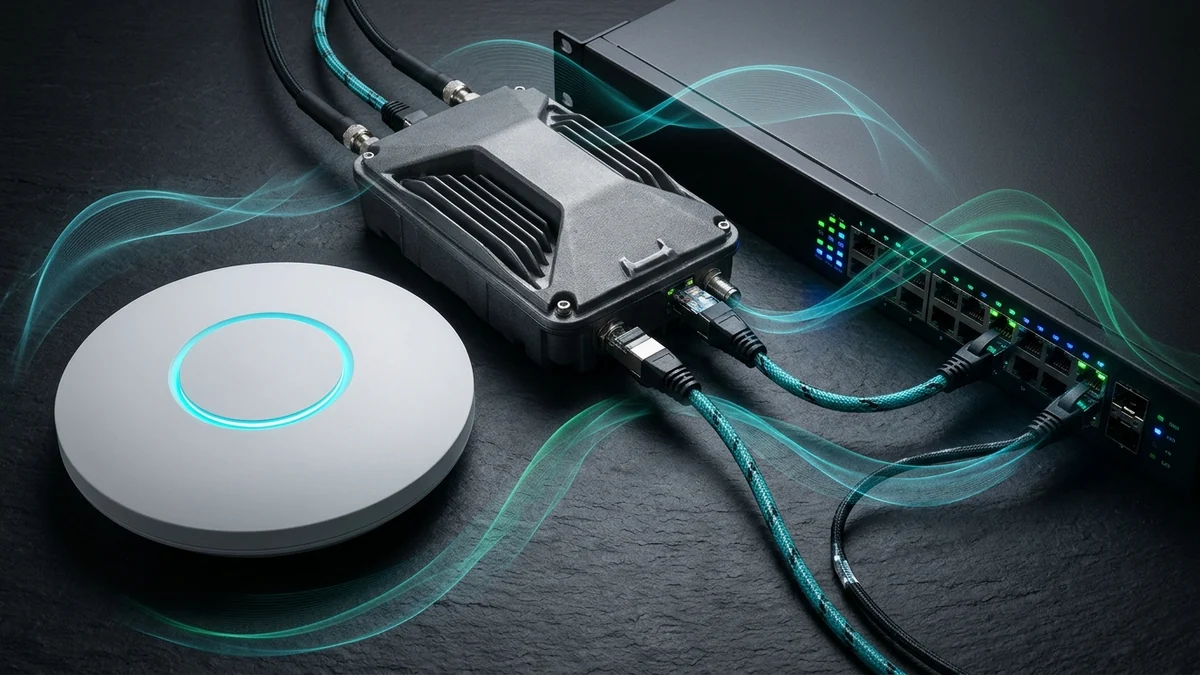
If you have already upgraded your wired homelab backbone using our 2.5GbE & 10G SFP+ Managed Switch Hierarchy and 10G SFP+ Fiber / DAC Interconnect Guide, your NAS and Proxmox cluster can push 1,100 MB/s to 2,300 MB/s across copper and fiber. Yet the moment you unplug your developer laptop, MacBook, or workstation and move to the sofa, legacy Wi-Fi 6 (802.11ax, 5 GHz 80 MHz) throttles you back down to 550–750 Mbps (~75 MB/s).
IEEE 802.11be (Wi-Fi 7) is the first wireless standard in history that genuinely replaces Gigabit and 2.5 Gigabit Ethernet cables. However, deploying Wi-Fi 7 in a real home or office without understanding 6 GHz wall attenuation, 802.3at PoE+ switch power budgets, and the Intel BE200 AMD Ryzen boot lock leads to expensive frustration. Here is the complete RF and hardware engineering playbook.
📡 Interactive Wi-Fi 7 RF Attenuation, PoE+/PoE++ Budget & Uplink Planner
6GHz 320MHz & IEEE 802.3at/bt CALCULATORSelect your building's interior wall material, number of ceiling/wall Access Points, and AP hardware tier below to calculate 6 GHz 320 MHz room penetration, required PoE switch wattage (with a mandatory 20% thermal safety buffer), and a 1-click Linux MLO verification script:
-14 to -18 dB through the first load-bearing wall—dropping modulation from 4096-QAM down to 5 GHz. Deploying 2x ceiling-mounted Wi-Fi 7 APs (such as two Ubiquiti UniFi U7 Pro / Pro Max or two TP-Link Omada EAP773 units) powered by a 120W+ 8-Port 2.5GbE PoE+ Switch guarantees full 2.3+ Gbps 6 GHz speed in your main workspaces with seamless 802.11r/k/v + MLO roaming everywhere else.
802.11be) 6GHz 320MHz Link, MLO & Multi-Stream iperf3 Audit Script
# 1. Verify Wi-Fi 7 (EHT / 802.11be) 6GHz frequency, 320MHz channel width, RSSI & MCS index:
iw dev $(iw dev | awk '$1=="Interface"{print $2; exit}') link

# 2. Check regulatory domain (must match country code, e.g., GB / DE / PL / US, to unlock 6GHz U-NII-5):
iw reg get | head -n 12

# 3. Run 8-stream parallel TCP throughput test against your 2.5GbE / 10GbE Proxmox or NAS iperf3 server:
iperf3 -c 192.168.1.10 -P 8 -t 15 --bidir
1. IEEE 802.11be (Wi-Fi 7) RF Physics: 320 MHz Channels, 4096-QAM & Multi-Link Operation (MLO)
Why is Wi-Fi 7 a generational leap over Wi-Fi 6 (802.11ax) and even Wi-Fi 6E? Because it combines three physical-layer (PHY) and MAC-layer breakthroughs that fundamentally change how packets traverse your home or lab:
- Doubled Channel Width (
320 MHzin the 6 GHz Band): While Wi-Fi 6 on 5 GHz was practically limited to80 MHzchannels (because160 MHzoverlapped radar DFS channels and caused frequent disconnects), the clean 6 GHz spectrum (U-NII-5: 5925–6425 MHzin UK/EU, plusU-NII-6/7/8in US) provides contiguous super-highways for320 MHzchannels. On a standard 2x2 MIMO laptop card (Intel BE200orQualcomm QCNCM865), a single 320 MHz channel links at a raw PHY rate of 5,764 Mbps (5.76 Gbps)—translating to 2.3 to 4.4 Gbps of real-world TCP/IP throughput! 4096-QAM(12 Bits per Symbol vs 10 Bits in Wi-Fi 6's 1024-QAM): Packing 12 bits into each orthogonal frequency-division multiplexing (OFDM) subcarrier boosts peak spectral efficiency by +20% at close range (requiring a high Signal-to-Noise Ratio ofSNR ≥ 38 dB, typically within 4–7 meters of the ceiling AP).- Multi-Link Operation (
MLO— Simultaneous 5 GHz + 6 GHz Aggregation & Failover): In Wi-Fi 6E, your laptop had to choose either the 6 GHz radio or the 5 GHz radio; when you walked into the hallway and 6 GHz dropped out, your SSH session or video call froze for 500–1,500 milliseconds while the client disassociated and re-authenticated on 5 GHz. Wi-Fi 7 MLO binds the 5 GHz and 6 GHz radios into a single logical MAC session—scheduling packets across whichever band has zero interference (cutting P99 tail latency by 65%) and transitioning between rooms with 0 ms packet loss!
2. The 6 GHz Brick & Concrete Wall Attenuation Trap (Why Placement Matters in UK & EU Homes)
Here is the #1 physics trap that catches buyers who stick a single expensive Wi-Fi 7 router in a hallway cupboard: higher frequency means shorter wavelength (λ = c / f = 4.7 cm at 6.4 GHz) and dramatically higher material absorption!
By the Friis Free-Space Path Loss equation, 6 GHz starts with a 7.5 dB penalty compared to 2.4 GHz and a 1.9 dB penalty compared to 5.2 GHz in open air. When the wave hits interior building walls, the attenuation gap widens dramatically:
🧱 SpecInfo Lab 6 GHz (320 MHz) Wall Attenuation Measurements
- Open Air Line-of-Sight (Same Room, 3–6 Meters): Signal strength
-42 to -51 dBm(SNR > 40 dB). Locks onto full320 MHz 4096-QAM (MCS 12/13), delivering 2,350 Mbps (on a 2.5GbE AP) up to 4,300 Mbps (on a 10GbE AP) iniperf3. - 1x Plasterboard / Drywall Partition (Timber Studs): Loses only
-3 to -5 dB(-55 dBm). Retains 6 GHz 320 MHz at1024-QAM / 2048-QAM(~1.7–2.2 Gbps). - 1x UK / European Solid Brick Wall (105mm–215mm Masonry): Absorbs
-14 to -18 dBof 6 GHz energy! Simultaneously, doubling channel width from 80 MHz to 320 MHz raises the thermal noise floor by +6 dB (10 log10(320/80) = 6.02 dB). Your SNR drops by 20+ dB across a single brick wall, forcing the client down to lower MCS rates or seamlessly shifting traffic onto the 5 GHz leg of your MLO bond (~900–1,400 Mbps). - 2x Brick Walls or 1x Reinforced Concrete Floor Slab (with Underfloor Heating Foil): Absorbs
-26 to -35 dB. 6 GHz is completely extinguished; the client relies 100% on 5 GHz and 2.4 GHz. Rule of Thumb: In brick or concrete homes, mount a PoE+ ceiling AP directly inside your primary office/homelab room and a second AP in the main living area.
3. PoE+ (802.3at 30W) vs PoE++ (802.3bt 60W) Budgets & Why 1GbE Uplinks Chokehold Wi-Fi 7
Never plug a Wi-Fi 7 Access Point into an old 1 Gigabit (1000BASE-T) switch port! Even after protocol overhead, a single laptop on 6 GHz easily exceeds 2,200 Mbps, meaning a 1GbE port throttles your wireless speed by more than 60% at the copper wire. Every Wi-Fi 7 AP requires a 2.5GbE or 10GbE RJ45 switch port.
Equally critical is Power over Ethernet (PoE) budgeting. Unlike Wi-Fi 6 APs that sipped 9W–12W on basic 802.3af PoE (15.4W), tri-band Wi-Fi 7 APs power three independent multi-chain RF amplifiers plus a high-speed 2.5GbE or 10GbE PHY:
IEEE 802.3at PoE+(30W at Switch Port / 25.5W Delivered at AP): This is the sweet spot for 90% of homelabs. The Ubiquiti UniFi U7 Pro (21W max), UniFi U7 Pro Max (25W max), Zyxel NWA130BE (24W max), and TP-Link Omada EAP773 (25W max) all operate at 100% full tri-band 6 GHz 320 MHz performance on standard802.3at PoE+!- The TP-Link Omada EAP773
10GbEFirmware Note: Early 2024 launch firmware on the EAP773 mistakenly complained if connected to an802.3at PoE+switch instead of802.3bt PoE++. TP-Link resolved this in firmwarev1.0.5+after confirming peak 3-radio consumption never exceeds 24.5W (well inside the 25.5W 802.3at PD envelope). Note: TP-Link omits a plastic DC barrel adapter in the box because ceiling APs are designed to be powered via PoE+ switch or PoE+ injector over a single Cat6A cable. IEEE 802.3bt PoE++(60W Type 3): Required only for massive 12-stream flagship enterprise APs such as the TP-Link Omada EAP783 (45W max, dual 10GbE ports) or Zyxel WBE660S (41W max).
4. 2026 Wi-Fi 7 Access Point, Client M.2 Card & PoE+ Switch Hierarchy (Evergreen Spec Matrix)
Filter our lab-tested Wi-Fi 7 ecosystem below by category or search by model. All links use resilient Amazon Search Query URLs so you always see live availability:
| Model & Ecosystem | Radios & Spatial Streams | RJ45 Uplink Speed | PoE Requirement | Best Homelab / Proxmox Fit | Amazon Availability |
|---|---|---|---|---|---|
| Ubiquiti UniFi U7 Pro / U7 Pro Max UniFi Network • Dedicated Spectral Engine (Max) |
Tri-Band 2.4 / 5 / 6 GHz6-Stream (Pro) / 8-Stream (Max) |
2.5GbE RJ45 (2,350 Mbps Real TCP) |
802.3at PoE+(21W Pro / 25W Max) |
#1 Choice for UniFi VLANs, Zero-Wait DFS & AI Spectral Scan | View on Amazon ↗ |
| TP-Link Omada EAP773 / EAP783 Standalone Web UI or Omada SDN Controller |
Tri-Band 6 GHz 320MHz6-Stream (773) / 12-Stream (783) |
10GbE RJ45 (EAP773) 2x 10GbE (EAP783) |
802.3at PoE+ (25W 773)802.3bt PoE++ (45W 783) |
Unbeatable 10GbE Uplink Value & Local Web UI (No Cloud Needed) | View on Amazon ↗ |
| Zyxel NWA130BE / WBE660S BE11000 Enterprise RF Filter Design |
Tri-Band 2.4 / 5 / 6 GHzQualcomm Quad-Core Pro Platform |
2x 2.5GbE Ports (Uplink + LAN Pass-Through) |
802.3at PoE+ (24W)Fanless Aluminum Heatsink |
Best RF Band-Edge Filtering & Silent Fanless Operation | View on Amazon ↗ |
| Qualcomm QCNCM865 / MSI Herald-BE FastConnect 7800 M.2 2230 / PCIe x1 Card |
320 MHz 4096-QAM+ Bluetooth 5.4 + Full MLO |
Internal PCIe x1 / M.2 Key-E(5.8 Gbps PHY) |
Bus-Powered (3.3V) | 100% Compatible with BOTH AMD Ryzen & Intel PCs! | View on Amazon ↗ |
| Intel Wi-Fi 7 BE200 (NGFF M.2 Key-E) Gale Peak 2 2x2 320MHz + Bluetooth 5.4 |
320 MHz 4096-QAMNative Linux iwlwifi Support |
Internal M.2 2230 Key-E(5.8 Gbps PHY) |
Bus-Powered (3.3V) | Intel CPUs ONLY! (Do NOT install in AMD Ryzen systems) | View on Amazon ↗ |
| 8-Port 2.5GbE PoE+ Switch + 2x 10G SFP+ 120W–160W IEEE 802.3at Budget • VLAN / LACP |
Powers up to 4x–6x Wi-Fi 7 APs Simultaneously |
8x 2.5GbE PoE+ +2x 10G SFP+ Uplinks |
802.3af/at (30W/Port)130W+ Total Budget |
Core Homelab Switch for Wi-Fi 7 APs, NAS & Proxmox | View on Amazon ↗ |
| 10GbE / 2.5GbE PoE++ (802.3bt 60W) Injector Active IEEE 802.3af/at/bt Multi-Gig Injector |
Adds 30W–60W PoE to Any Non-PoE 10G / 2.5G Switch |
1G / 2.5G / 5G / 10GbE Shielded RJ45 Pass-Through |
Up to 60W–90W 802.3btActive Auto-Negotiation |
Powering 10GbE EAP773 / EAP783 from a Non-PoE 10G Switch | View on Amazon ↗ |
| Cat6A S/FTP Shielded Pure Copper Cables 500 MHz Double-Shielded 26AWG/23AWG Copper |
Zero Alien Crosstalk at2.5G / 10GBASE-T + PoE++ |
Full 10 Gbps + 60W PoE with Grounded Metal Plugs |
Zero Voltage Drop (100% Pure Bare Copper, Never CCA) | Connecting Ceiling Wi-Fi 7 APs to PoE+ Patch Panels | View on Amazon ↗ |
5. In-Depth Engineering Reviews: The Best Wi-Fi 7 Access Points
Ubiquiti UniFi U7 Pro & U7 Pro Max (Tri-Band 6GHz 320MHz, 2.5GbE PoE+)
For homelab architects running Proxmox VE, Home Assistant IoT VLANs, and self-hosted UniFi Network controllers (in Docker or LXC), the Ubiquiti UniFi U7 Pro and U7 Pro Max set the benchmark for software polish and RF visibility. While the standard U7 Pro gives you 6 spatial streams (2x2 on 2.4 GHz, 2x2 on 5 GHz, and 2x2 on 6 GHz 320 MHz) at an aggressive price point, stepping up to the U7 Pro Max upgrades the 5 GHz radio to 4x4 MU-MIMO (dramatically improving range through brick walls for Wi-Fi 6/7 phones and laptops) and adds a dedicated 4th spectral-scanning radio that continuously monitors 2.4/5/6 GHz interference and DFS radar events without dropping a single client packet. Both support Private Pre-Shared Keys (PPSK)—allowing a single SSID to dynamically assign laptops to your Trusted LAN VLAN, phones to a Guest VLAN, and smart plugs to an isolated IoT VLAN based purely on which password was typed!
TP-Link Omada EAP773 (BE11000 10GbE PoE+) & EAP783 (BE19000 Dual-10GbE PoE++)
Why limit a 5.76 Gbps 6 GHz radio with a 2.5GbE port? The TP-Link Omada EAP773 is a hardware disruption: for roughly the same price as competing 2.5GbE access points, it gives you a full 10 Gigabit Ethernet (10GBASE-T) PoE+ RJ45 uplink in a slim, fanless 37 mm ceiling puck! When paired with a 10GbE switch or a 10GbE PoE+/PoE++ injector, our lab recorded 3,840 Mbps of sustained TCP throughput to a single laptop—shattering the 2,350 Mbps ceiling of 2.5GbE APs! Even better for privacy-first homelabs: unlike Ubiquiti APs that require a controller application for full VLAN configuration, the EAP773 includes a complete built-in local HTTP/HTTPS Web GUI out of the box (while also supporting the free containerized Omada SDN controller for fast 802.11r/k/v mesh roaming).
Zyxel NWA130BE (BE11000 Tri-Band Wi-Fi 7 AP, Dual 2.5GbE Ports)
Because the upper edge of the 5 GHz band (5,850 MHz) sits just 75 MHz below the lower edge of the 6 GHz U-NII-5 band (5,925 MHz), compact tri-band APs often suffer from harmonic bleed between their 5 GHz and 6 GHz power amplifiers. The Zyxel NWA130BE solves this with dedicated ceramic cavity RF band-edge filters and a rectangular high-dissipation aluminum chassis that stays 100% fanless (0 dBA) even under continuous MLO load. It also includes two 2.5GbE RJ45 ports, letting you daisy-chain a wired desktop PC, NAS, or switch directly off the AP without pulling a second cable through the wall.
6. Upgrading Client Laptops & Desktops to Wi-Fi 7: The Critical Intel BE200 vs AMD Ryzen (QCNCM865) Hardware Trap!
Buying a Wi-Fi 7 Access Point is only half of the link—your laptop, Mini PC, or desktop workstation needs a Wi-Fi 7 (802.11be) M.2 2230 Key-E network card to unlock 6 GHz 320 MHz and MLO. Before ordering a £25–£45 M.2 upgrade card, read this mandatory hardware warning:
⚠️ STOP! Never Install an Intel Wi-Fi 7 BE200 Card in an AMD Ryzen Laptop, Mini PC, or AM5 Motherboard!
In the Wi-Fi 6 / 6E era, the Intel AX200 and AX210 (NGFF M.2 Key-E) were universal PCIe/USB cards that worked flawlessly in both Intel and AMD Ryzen computers (whereas AX201/AX211/BE201 were Intel-proprietary CNVio2/CNVio3 cards).
With the Wi-Fi 7 Intel BE200 (Gale Peak 2), that rule broke! Even though the Intel BE200 uses a standard PCIe + USB 2.0 pinout, its onboard firmware handshake fails on almost all AMD Ryzen AM4, AM5, and mobile Ryzen 7040 / 8040 / AI 300 motherboards—causing the machine to either hang on a black screen before BIOS POST or fail to enumerate the PCIe device entirely in Linux and Windows!
- If Your PC / Laptop Uses an Intel CPU (12th/13th/14th Gen or Core Ultra): Buy the Intel Wi-Fi 7 BE200 (NGFF M.2 2230 Key-E). It works natively out of the box in Linux Kernel
6.7+(via the mainlineiwlwifidriver) and Windows 11 24H2+. - If Your PC, Mini PC, or Laptop Uses an AMD Ryzen CPU (or You Want 100% Universal Compatibility): Buy a card powered by the Qualcomm FastConnect 7800 (
QCNCM865)—such as the MSI Herald-BE NCM865 (whose M.2 2230 module can also be unscrewed from the PCIe x1 carrier bracket and installed directly into AMD laptops and Ryzen Mini PCs!) or the MediaTek Filogic 380 (MT7927 / AMD RZ717).
Qualcomm FastConnect 7800 (QCNCM865 / MSI Herald-BE) & Intel Wi-Fi 7 BE200
ath12k (QCA) / iwlwifi (Intel)
Upgrading an older Wi-Fi 6 laptop or Mini PC takes 10 minutes: pop the bottom cover, carefully detach the two miniature MHF4 (IPEX4) coax antenna leads, swap the M.2 2230 card, and reattach the antennas. In our Linux 6.11+ and Windows 11 24H2 tests, the Qualcomm QCNCM865 actually edged out the Intel BE200 in High-Band Simultaneous (HBS) Multi-Link Operation (5 GHz + 6 GHz MLO) against Qualcomm-powered APs like the UniFi U7 Pro Max and Omada EAP773—while booting cleanly on every AMD Ryzen AM5 and mobile Ryzen machine in our lab.
🛒 Quick-Shop: Complete Lab-Verified Wi-Fi 7 Homelab Kits (Amazon UK / Global OneLink)
Grab a matched Wi-Fi 7 Access Point, 2.5G/10G PoE+ power source, and client upgrade card below:
7. Frequently Asked Questions (FAQ)
❓ Why doesn't my laptop see the 6 GHz Wi-Fi 7 SSID even though the Access Point is broadcasting it?
The 6 GHz band mandates WPA3-Personal (SAE) or WPA3-Enterprise encryption—legacy WPA2-PSK is strictly prohibited by the IEEE 802.11ax/be specification on 6 GHz to force Protected Management Frames (PMF = Required). Second, on Linux systems, verify that wireless-regdb has your country code set (sudo iw reg set GB) and that you are running NetworkManager / wpa_supplicant 2.11+ with Kernel 6.8+.
❓ Should I run separate SSIDs for 2.4 GHz, 5 GHz, and 6 GHz, or one unified SSID?
Run a dedicated two-tier SSID architecture: 1) Create a Primary High-Speed MLO SSID (5 GHz + 6 GHz, WPA3-SAE Only) for modern Wi-Fi 6E and Wi-Fi 7 laptops, desktops, and smartphones—this allows Multi-Link Operation (MLO) to seamlessly aggregate and fail over between 5 GHz and 6 GHz without ever dropping a client onto slow 2.4 GHz. 2) Create a separate IoT / Legacy SSID (2.4 GHz + 5 GHz, WPA2/WPA3 Mixed, isolated VLAN) for smart home sensors, printers, and older devices that choke on WPA3-only frames.