24-Hour Home Network & IoT Telemetry Audit: Where Smart TVs, Plugs & Cameras Phone Home at 3 AM
We deployed an unprivileged Proxmox LXC radar (CT 106 running AdGuard Home + WatchYourLAN under 90 MiB RAM) across an active smart home—without replacing our unmanaged 2.5GbE/10G switch. Across 7,001 live DNS queries in 24 hours, 1,513 trackers (21.6%) were intercepted, revealing why Smart TVs hit a 45% block rate, why blocking Tuya prematurely triggers a 1970-01-01 Wi-Fi DNS storm, and how a single whitelist keeps retail banking anti-fraud working.
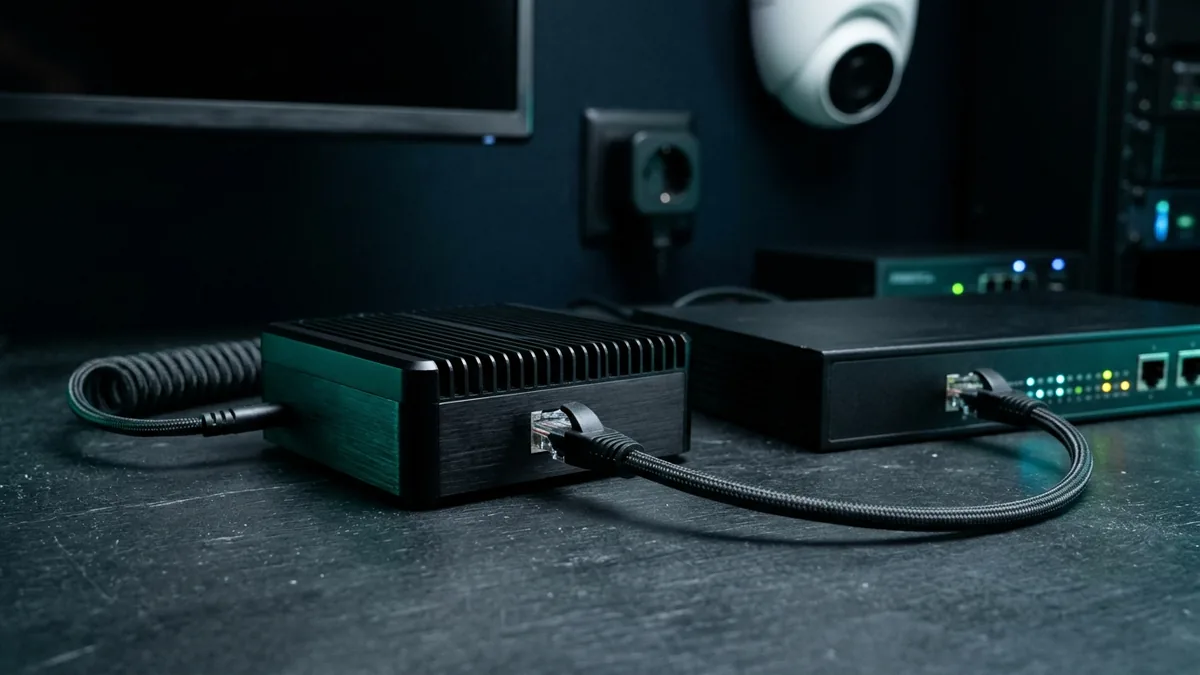
Micro-Servers, SPAN Managed Switches, OpenWrt Edge Routers & Local Zigbee Coordinators
Everything needed to deploy a silent 24/7 AdGuard Home + WatchYourLAN container, inspect raw packets via Port Mirroring (SPAN), and replace chatty cloud Wi-Fi plugs with local Zigbee 3.0 hardware. Links route automatically to your regional Amazon store (UK / US / PL).
1. The 3-Layer Architecture (Under 90 MiB RAM, Even With an Unmanaged Core Switch)
Most engineers give up on home telemetry auditing the moment they realize two things: first, enterprise security appliances like Security Onion or an ELK stack swallow 10+ GB of RAM and loud CPU fans; second, an unmanaged core switch (such as a fanless 8× 2.5GbE + 2× 10G SFP+ backbone) cannot mirror switch ports to a Proxmox probe.
You do not need to rip out your core switch or burn 16 GB of RAM to gain complete visibility. Instead, split observability into three lightweight layers:
CT 106 LXC: AdGuard Home + WatchYourLAN
An unprivileged Debian 13 Proxmox container (1 vCPU, 512 MB cap) running AdGuard Home on port 53 with encrypted upstream DoH (Cloudflare 1.1.1.1 + Quad9 9.9.9.9, DNSSEC, ~47 ms) and WatchYourLAN v2 performing arp-scan sweeps every 120 seconds on port 8840.
OpenSnitch eBPF Application Firewall
While CT 106 watches every TV, camera, and plug in the house, OpenSnitch hooks into the Linux kernel via eBPF to inspect every outbound socket on your workstation down to the exact binary path (/usr/bin/..., Python script, or container) with interactive Allow/Block prompts.
Temporary Port Mirroring (SPAN)
Some cheap IoT modules hardcode numeric IP addresses in firmware and skip DNS completely. Whenever you audit a suspicious gadget, place a small 802.1Q switch (TL-SG108E / GS308E) inline between your router and core switch to mirror packets 1:1 into Wireshark, Zeek, or ntopng.
Safe Router Failover Rule: On our testbed 5G router (where the DHCP menu lacks custom DNS fields), we configured System → DNS manually: Primary DNS pointed to the local AdGuard container (192.168.0.248) and Secondary DNS pointed to 1.1.1.1. That single fallback ensures household Wi-Fi stays online even if the Proxmox host reboots for maintenance.
# Enable per-process eBPF outbound firewall on Arch Linux workstation
sudo pacman -S opensnitch
sudo systemctl enable --now opensnitchd.service

# CT 106 Proxmox LXC live resource telemetry after 24h full-home traffic:
# uptime 1d 8h 42m | load average: 0.01, 0.05, 0.00
# AdGuardHome RSS: 49.5 MiB idle -> ~89.1 MiB (91,268 KB) under 207,324 active filter rules
2. 24-Hour Live Lab Results: 7,001 Queries Inside a Real Smart Home
Before blocking a single operational IoT domain, we let CT 106 record a full continuous 24-hour window of normal household life (phones, Windows laptops, Linux workstations, Smart TV, Amazon Echo, 7 Tuya Wi-Fi modules on 6668/tcp, and Reolink cameras). The container stayed stone-cold at load average 0.01 and ~89.1 MiB RAM while resolving encrypted DoH lookups so our mobile carrier could no longer read visited domains in plaintext.
| Device Class / Service | 24h Queries | Blocked | Key Domains & Live Engineering Findings |
|---|---|---|---|
Amazon Echo / Alexa (.24) |
512 |
132 (25.8%) | Hardware telemetry leader: *.us-east-1.prod.service.minerva.devices.a2z.com (98 blocks, 20 overnight), api.mshop.bdtelemetry.amazon (8 blocks), plus continuous web.diagnostic.networking.aws.dev connectivity pings (235 queries: 196 + 39 https.*, 58 at night). Operational api.eu.amazonalexa.com (78) and api.amazonalexa.com (51) kept working seamlessly. |
| Smart TV + Netflix | 331 |
150 (45.3%) | logs.netflix.com was the #1 single most-blocked domain in the entire house (117 blocks), followed by nrdp.logs.netflix.com (16 blocks) and tvp-ads-log.samsungads.com (5 blocks). Functional endpoints samsungcloudsolution.net (14) and samsungqbe.com (17) passed cleanly. |
Reolink Cameras (.56, .155) |
84 |
0 | Logged devices-apis.reolink.com (18) and relay probes p2p1.reolink.com … p2p16.reolink.com (66 total). Proof that factory cloud UID / P2P was still enabled despite already having a private local Tailscale Subnet Router (CT 103). |
| Tuya Wi-Fi Modules (7 units) | 15 |
0 | Only a3.tuyaeu.com (4), a1.tuyaeu.com (4), stream.tuyaeu.com (4), m2.tuyaeu.com (2), and m1.tuyaeu.com (1). Long-lived 6668/tcp MQTT sessions stayed calm with zero DNS storm because operational domains were not cut prematurely. |
| Self-Hosted Healthchecks | 604 |
0 | Steady 20–33 queries/hour around the clock (including 132 overnight) from internal availability monitoring probes—expected baseline noise to separate from genuine anomalies. |
3. Night Activity (00:00–05:59 UTC) vs The 07:00 UTC Morning Spike
Looking at raw 24-hour totals hides when devices actually talk. Splitting the log into quiet sleep hours versus morning wake-up immediately separates background maintenance from user-triggered ad auctions:
- Overnight Window (
00:00–05:59 UTC): Recorded 820 queries with 55 blocked (6.7%). Excluding scheduled604-per-day healthchecks (132overnight), the most talkative sleeping devices were Amazon Echo connectivity checks (aws.dev58,api.eu.amazonalexa.com21,minerva.devices.a2z.com20blocks), Android telemetry (federatedcompute-pa.googleapis.com32 blocks,androidwearcloudsync-pa.googleapis.com11), and Apple background services (mask.apple-dns.net15,iphone-ld.apple.com13,swallow.apple.com12). - The
07:00 UTCWake-Up Avalanche: The moment phones unlocked and browsers resumed tabs, queries exploded to 1,535 requests in a single hour—including roughly 140 blocked Google telemetry beacons (beacons*.gvt2.com/gvt3.com) plusdoubleclickandgooglesyndicationbursts. Once morning routines settled (08:00–16:59 UTC), background volume flattened back to47–96queries/hour. - 100% RTB & Cookie-Syncing Cutoff: Across the day, AdGuard Home blocked 100% of real-time bidding and cross-site cookie-sync exchanges:
criteo.com(44/44),smartadserver.com(40/40),pubmatic.com(28/28),adnxs.com(25/25),openx.net(25/25),richaudience.com(21/21),adform.net(21/21),app-analytics-services.com(20/20),amazon-adsystem.com(17/17),gemius.pl(15/15),casalemedia.com(14/14),connectad.io(14/14),teads.tv(12/12), andadtrafficquality.google(12/12).
4. Five Critical Field Traps We Caught in the Live Logs
- The Tuya
1970-01-01& 2.4 GHz Wi-Fi DNS Storm Trap: When left alone during our 24h baseline, 7 Tuya plugs made only15DNS queries total. In contrast, blindly blackholingm2.tuyaeu.comor cloud NTP without first migrating toLocalTuyaorZigbee 3.0(or running a local NTP server) causes ESP/Tuya firmware to lose wall time (1970-01-01) and hammer your2.4 GHzband with thousands of retry lookups per minute. - ISP Router DNS Proxy Masking (
7,000 / 7,001From.1): Because our cellular gateway forwards client DNS queries on their behalf,7,000of7,001entries in AdGuard appeared under192.168.0.1(with only one direct test query from.253). The router itself also phoned home (rot-dispatch-eu.ztesmarthome.com6×,dmeu.ztems.com1×). To see individual client IPs per room, hand out AdGuard's IP via DHCP Option 6 on an OpenWrt/VLAN gateway or let AdGuard serve DHCP directly. - Slipped-Through Trackers & DNS Tunnel Bypasses: Two aggressive domains bypassed default lists (
0blocks):cometaster.com(31queries acrosstray/stg.tray/0.stg.tray—fresh ad-network/anti-adblock infrastructure tied tohtml-load.com) andsingular.net(14queries:s2s/skanmobile attribution). Meanwhile, Apple Private Relay and hardcoded DoH probes (mask.apple-dns.net35,mask.icloud.com8,doh.dns.apple.com2,dns.google3) quietly bypassed local DNS filtering from Safari. - Banking Anti-Fraud Whitelist (
online-metrix.net): We observed18queries toonline-metrix.net(eu-aa,h-sdk,h64) paired with34UK retail banking requests.online-metrix.netis LexisNexis ThreatMetrix anti-fraud protection—blocking it can lock you out of retail banking logins, so add an explicit@@||online-metrix.net^exception. - Reolink P2P Relay Leakage & WatchYourLAN Private MACs: Even with a private
Tailscale Subnet Routerrunning, leavingUIDticked inside Reolink PoE camera settings keepsp2p1..16.reolink.comheartbeats alive (66queries). In WatchYourLAN, device count grew from18to28with zero intruders—entries taggedlocally administeredhad a second hex digit of2,6,A, orE(phone Private Wi-Fi MAC randomization), vendor OUI identified Apple, Samsung, Amazon Echo, and aSHENZHEN BILIAN ELECTRONICIoT radio, and the timeline caught an offline smart ESP plug at09:10:45 UTC(now=0).
🛡️ Interactive Home IoT Telemetry Auditor & AdGuard Rule Builder (100% In-RAM)
Toggle the devices present on your home network, choose your DNS topology, and keep retail banking anti-fraud protection intact to calculate your expected block rate, surface hidden traps, and generate ready-to-paste AdGuard Home custom filtering rules.
5. Trap-Free Hardware Stack for 24/7 Auditing & Escaping Cloud IoT
Keep your monitoring plane lightweight and silent. Pair a low-power Proxmox node for 24/7 DNS/ARP visibility with a managed SPAN switch for raw packet checks, an OpenWrt edge router, and a local Zigbee coordinator so you can retire cloud Wi-Fi plugs permanently.
Intel N100 / N150 Mini PC (AdGuard + WatchYourLAN <90 MB RAM)
Runs CT 106 (AdGuard Home + WatchYourLAN at ~89 MiB RAM and 0.01 load) alongside Home Assistant and Tailscale Subnet Router without burning desktop watts. Check our sub-15W homelab tuning guide for C-state tips.
TP-Link TL-SG108E / Netgear GS308E (Managed 802.1Q)
Drop one between your router and core switch whenever auditing raw IP connections from suspicious IoT gadgets that bypass DNS. Mirrors traffic 1:1 into a laptop running Wireshark or Zeek—zero impact on your main 2.5GbE/10G switch.
View on Amazon ↗GL.iNet Flint 2 (GL-MT6000)
Solves ISP DNS-proxy IP masking by handing out per-client DHCP leases directly alongside built-in AdGuard Home and VLANs. Zero-Cloud GoodCloud Advisory: keep GoodCloud permanently disabled on new setups and manage exclusively via local LAN + WireGuard or Tailscale. If GoodCloud was ever enabled previously, do not rely on a basic web-UI reset—perform a clean U-Boot firmware reflash (v4.8.4+ or vanilla OpenWrt) and rotate all admin, SSH, and VPN keys.
SMLIGHT SLZB-06 PoE / SONOFF ZBDongle-E (Zigbee 3.0)
The cleanest permanent cure for the Tuya 1970-01-01 DNS storm: replace cloud Wi-Fi plugs with local Zigbee 3.0 plugs and sensors bridged directly into Home Assistant with zero external internet access.
6. Related SpecInfo Network & Privacy Blueprints
- Smart TV Privacy Lockdown & Home IoT VLAN Guide: Two Networks, Apple TV 4K vs 100 Mbps TV Ports
- Reolink PoE IP Cameras, NVR & No-Cloud Surveillance VLAN Guide
- Tuya & Zigbee 3.0 Smart Home Engineering Guide: mmWave Presence, Wired Hubs & Smart Plugs
- OPNsense & pfSense Firewall Mini PCs: Intel i226-V 2.5GbE vs The Realtek Trap
- Low-Power 24/7 Homelab & Proxmox Server Under 15W: Intel N100 / N150 & Deep C-States