Smart TV Privacy Lockdown & Home IoT VLAN Guide: Two Networks, Apple TV 4K vs 100 Mbps TV Ports
Every modern living room shares one uncomfortable secret: your Smart TV, cheap Wi-Fi plugs, and robot vacuum sit in the exact same flat network as your work laptop, banking phone, and home NAS. Here is the practical blueprint for splitting your house into two clean networks, silencing Smart TV ACR tracking for good, and eliminating the hidden 100 Mbps Ethernet bottleneck on 4K OLED screens.
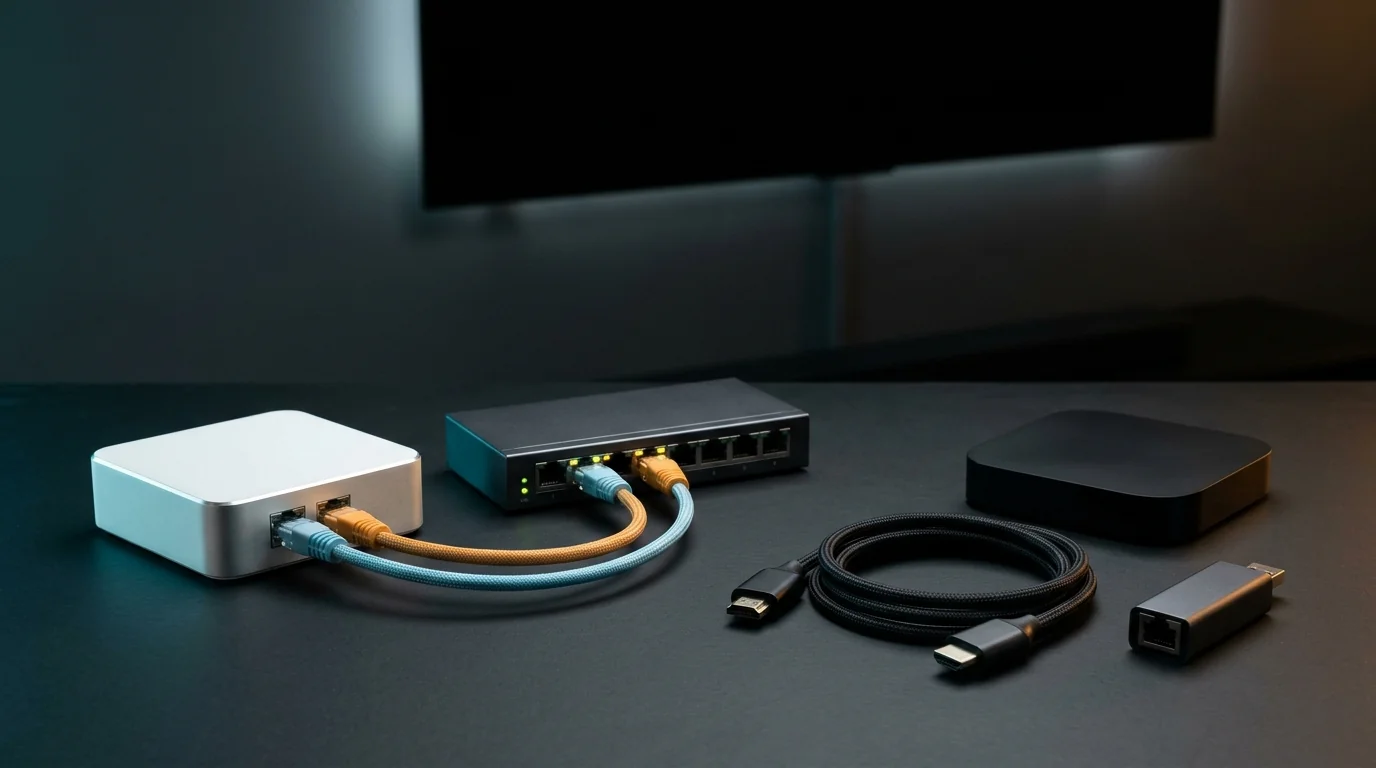
Verified VLAN Gateways, Managed Switches, Ad-Free 4K Boxes & Gigabit Adapters
Everything needed to split your home into Trusted + IoT VLANs and replace sluggish, ad-filled Smart TV menus with clean Gigabit 4K playback. Links automatically route to your regional Amazon store (UK / US / PL).
1. Why Your House Needs Two Networks (The "One-Way Door" Rule)
Most home networks behave like an open-plan studio flat with zero internal walls. You set a strong Wi-Fi password to keep strangers outside the front door—and then you voluntarily hand that exact same master key to a Smart TV, three budget smart plugs, a Wi-Fi baby monitor, a robot vacuum, and a guest's phone.
The problem is simple: budget IoT hardware almost never receives long-term security patches, and Smart TV operating systems actively monetize viewer data long after you buy the panel. When every device shares one flat subnet (such as 192.168.1.0/24), any compromised plug or over-curious TV app can map every open port on your NAS, work laptop, or home server.
Splitting your home into two networks (Trusted + IoT) works like installing a solid hallway door with a one-way deadbolt:
- Trusted Main Network (VLAN 10): Laptops, phones, tablets, personal workstations, and your NAS / Proxmox server.
- Isolated IoT & Media Network (VLAN 20): Smart TVs, streaming sticks, smart plugs, robot vacuums, smart appliances, and voice assistants.
- The One-Way Rule: Devices on Trusted are allowed to open connections to IoT (so you can cast a video or control a smart bulb), and the IoT device is only permitted to reply to that exact conversation. If a Smart TV or Wi-Fi plug tries to initiate a brand-new connection back into your Trusted network, the firewall silently drops it.
ISP / Consumer Router Guest Wi-Fi
No extra hardware yet? Turn on your router's built-in Guest Network with Client / AP Isolation enabled and move Smart TVs, plugs, and vacuums onto it today. It is not a full VLAN, but it immediately cuts off LAN access to your laptops and NAS.
VLAN Gateway + Managed Switch
Pair a compact VLAN gateway (UniFi Cloud Gateway Ultra or GL.iNet Flint 2) with a small 802.1Q managed switch. You get true wired + wireless VLANs, one-way firewall rules, and working AirPlay/Cast via mDNS.
OPNsense + Local DNS Sinkhole
Run OPNsense on an Intel i226-V Mini PC alongside AdGuard Home / Pi-hole. Add a Port 53 NAT redirect rule so Smart TVs with hardcoded 8.8.8.8 DNS cannot sneak past your telemetry blocklist.
2. What Modern Smart TVs Actually Do Behind the Scenes (ACR & Hardcoded DNS)
Why do large 4K TVs keep getting cheaper while raw display components stay expensive? Because television makers earn recurring revenue after you mount the screen on the wall. Three mechanisms run silently on most connected sets:
- Automatic Content Recognition (ACR): Marketed under friendly names like Live Plus, Viewing Information Services, or Samba TV, ACR samples frames directly from the display pipeline—even when you are watching an external HDMI input such as a game console, Blu-ray player, or laptop—and fingerprints what is on screen to build an advertising profile.
- Aggressive Telemetry & Home-Screen Ads: A connected Smart TV commonly generates thousands of outbound DNS queries per day to ad networks, analytics endpoints, and promotional carousel servers. Even after opting out in menus, major firmware updates frequently re-surface consent banners or add new ad rows.
- The Hardcoded DNS Bypass Trap: Many streaming sticks and TVs ignore the DNS server handed out by your router (such as your Pi-hole or AdGuard Home) and query Google (
8.8.8.8) or Cloudflare (1.1.1.1) directly. Unless your firewall intercepts outbound UDP/TCP Port 53 from the IoT VLAN and redirects it to your local DNS filter, telemetry slips straight through.
3. The Best Fix for Any Smart TV: Leave It Offline & Plug In a Real 4K Box
You can spend an hour hunting through twenty privacy sub-menus—or you can solve the entire problem permanently at the hardware layer in two minutes:
- Step 1 — Disconnect the TV completely: Perform a quick reset (or forget the Wi-Fi network and unplug the TV's Ethernet cable). Skip the Smart terms and never connect the television itself to the internet. Treat your expensive OLED or Mini-LED panel as what it truly is: a dumb, silent, zero-lag studio monitor.
- Step 2 — Drive every app from a dedicated Gigabit 4K box: Plug in an Apple TV 4K 128GB (Ethernet Edition) or NVIDIA Shield TV Pro via a certified Ultra High Speed HDMI 2.1 cable. You instantly get a snappy interface, zero home-screen banner ads, years of real OS updates, and a true
1000 MbpsGigabit Ethernet port. - Optional Step 3 — Update TV firmware offline via USB once a year: If the TV manufacturer releases an actual panel calibration or HDMI eARC bug fix, download the firmware zip on a PC, copy it to a USB stick, update the TV offline, and pull the stick out.
4. The Hidden 100 Mbps TV Ethernet Trap (and Local 4K Jellyfin / Plex Playback)
Here is a hardware gotcha that catches almost every home-cinema and NAS owner off guard: even flagship OLED televisions still ship with a legacy 100 Mbps Fast Ethernet jack on the rear panel. Manufacturers save a tiny fraction of a dollar per board because Netflix and YouTube compress 4K streams down to roughly 15–25 Mbps.
The moment you stream an uncompressed local 4K HDR Blu-ray Remux from your home NAS (via Jellyfin or Plex), bitrate peaks regularly jump to 110–140 Mbps. A 100 Mbps TV Ethernet jack acts like a three-lane motorway narrowing to a single lane—causing instant buffering and audio dropouts even though your NAS and switch are running at 2.5GbE or 10GbE.
You have two clean hardware fixes:
- Best overall fix (Ad-free + True Gigabit): Use an Apple TV 4K 128GB (with Infuse / Jellyfin client) or NVIDIA Shield TV Pro (essential if you pass lossless Dolby TrueHD Atmos and DTS-HD MA to an AV receiver). Both include real 1000 Mbps Ethernet ports.
- Direct TV fix (USB 3.0 to Gigabit Ethernet Adapter): On many LG webOS and Sony Google TV sets, plugging a compact USB 3.0 to Gigabit Ethernet dongle built on the ASIX AX88179 or Realtek RTL8153 chipset into the TV's USB port automatically bypasses the 100 Mbps jack and delivers 300–480 Mbps (even over a USB 2.0 TV port, which is still 3×–4× faster than 100 Mbps Ethernet!).
- Local Media Server Pairing: Pair your NAS with a silent, sub-15W Intel N100 / N150 Mini PC running Jellyfin or Plex with hardware QuickSync—effortlessly transcoding multiple 4K HDR streams without a loud GPU.
🛡️ Interactive Two-Network VLAN & Smart TV Lockdown Planner (100% In-RAM)
Choose your current router tier, TV setup, smart-home footprint, and DNS layer to generate a tailored VLAN subnet map, 100 Mbps bottleneck check, and ready-to-paste firewall + DNS rules.
5. Trap-Free Hardware Matrix: Routers, 802.1Q Switches & 4K Boxes
Avoid cheap unmanaged "dumb" switches when building VLANs—they cannot tag ports cleanly into separate networks, and avoid Wi-Fi-only streaming sticks if your living room has an Ethernet drop behind the TV cabinet.
Ubiquiti UniFi Cloud Gateway Ultra (UCG-Ultra / Max)
The cleanest visual interface for creating Trusted, IoT, and Guest VLANs in under ten minutes—with one-click Zone-Based Firewall isolation and automatic mDNS reflection so AirPlay and Cast keep working effortlessly.
View on Amazon ↗GL.iNet Flint 2 (GL-MT6000) / MikroTik RB5009
If you want a single router box with built-in Wi-Fi, AdGuard Home pre-installed, and zero cloud account requirement, Flint 2 gives you instant Guest/IoT isolation plus local DNS telemetry blocking out of the box.
View on Amazon ↗UniFi Flex Mini 2.5G / TP-Link TL-SG108E / Omada SG2008P
Place a silent managed switch behind the TV unit or in your hallway cabinet so each wall jack can be pinned directly to VLAN 10 (Trusted PC/Console) or VLAN 20 (Media/IoT) without running extra cables.
View on Amazon ↗Apple TV 4K 128GB (Ethernet + Thread) vs NVIDIA Shield TV Pro
Pick Apple TV 4K 128GB (skip the 64GB Wi-Fi-only model) for the fastest, cleanest ad-free living-room UI and Thread Home Hub support—or NVIDIA Shield TV Pro if your AV receiver needs lossless Dolby TrueHD Atmos passthrough from local NAS Remux files.
View on Amazon ↗USB 3.0 to Gigabit Ethernet Adapter & Certified HDMI 2.1 48Gbps
Eliminates 4K Remux buffering on legacy 100 Mbps TV ports while pairing your external 4K box over a properly shielded Ultra High Speed 48Gbps HDMI 2.1 cable for glitch-free eARC and 120Hz VRR.
View on Amazon ↗Intel N100 / N150 Mini PC or Raspberry Pi 5 (AdGuard + Jellyfin)
One silent pocket-sized node runs AdGuard Home or Pi-hole for the entire household plus a local Jellyfin server with QuickSync hardware transcoding—zero monthly cloud subscriptions.
View on Amazon ↗6. Related SpecInfo Engineering Blueprints
- OPNsense & pfSense Firewall Mini PCs: Intel i226-V 2.5GbE vs Realtek Trap, WireGuard & Zenarmor Guide
- Best 2.5GbE & 10G SFP+ Switches: Fanless, Managed VLAN 802.1Q, PoE+ & Homelab Hierarchy
- Best Wi-Fi 7 (802.11be) Access Points for Multi-SSID VLANs: 6GHz Attenuation & PoE+ Budgets
- Reolink PoE IP Cameras & NVR Surveillance Guide: Zero Cloud & Isolated Camera VLANs
- Best NAS Hard Drives for TrueNAS, ZFS & Media Servers: CMR vs SMR Trap Guide